Your Health Magazine Contributor
4201 Northview Drive
Suite 102
Bowie, MD 20716
More Essential Business Tools For Marketing Healthcare Articles
How To Create Ai Video For Clinic Waiting Rooms
Patients copy the move on the waiting-room screen before they copy the sentence on the laminated card. A health magazine that reviews clinic materials should treat that screen as a dosage problem: if the hip hinge on the loop is not the hip hinge on the sit-to-stand sheet, people will rehearse the wrong angle while they wait. Teams that want to create ai video for those TVs have to start from the printed card, not from a wellness mood.
Clinic desks already know the still version of this failure. A flyer that shows a different knee bend than the physical-therapy handout gets pulled, because the next patient will ask which one is real. Motion hides the swap for a few seconds, then someone photographs the TV and the front desk spends the afternoon reprinting cards. Viddo AI can turn a cleared still into a short loop, but the claim worth checking is whether the face and the exercise still match the sheet after Generate, not whether the clip looks more alive than the poster.
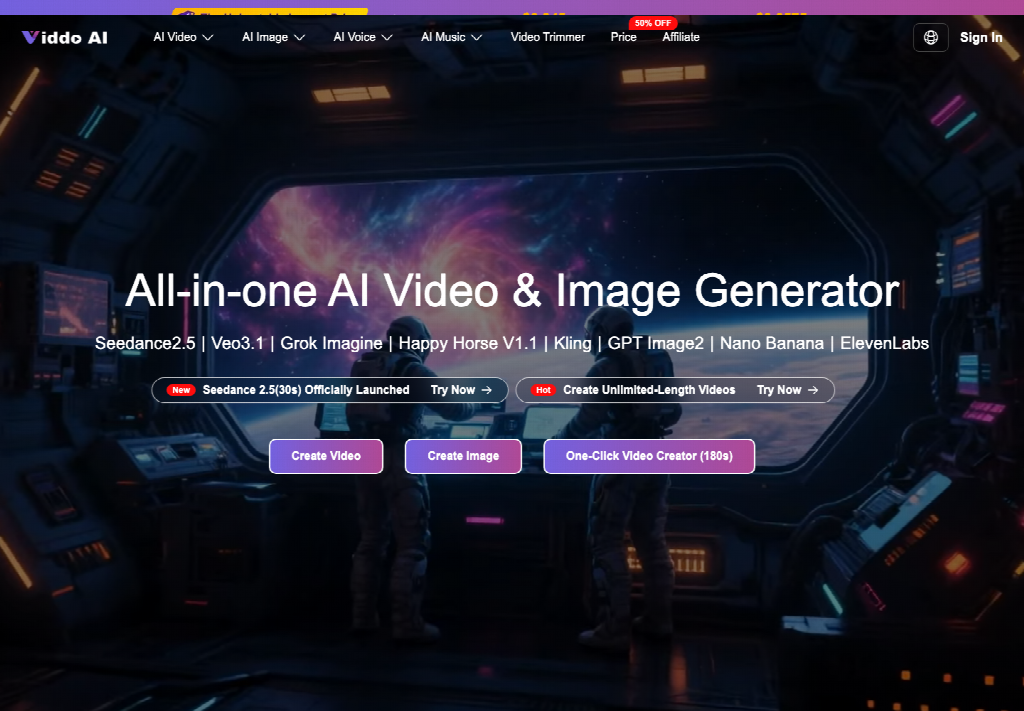
Waiting Rooms Copy The Card Patients Can Hold
A waiting-room playlist is a weekly cycle, not a campaign. The same sit-to-stand card stays in the plastic sleeve from Monday intake through Friday close. The TV above the chairs is supposed to demonstrate that card, not invent a second program. When the loop adds a twist or a smile the sheet never showed, patients treat the screen as the newer instruction and the paper as leftover decoration.
Old options are slow or sloppy. A staff member films the same demo every time the card changes, then waits on an editor. A stock library sells generic “gentle movement” that never wore the clinic badge and never used the clinic’s cue words. Both cost more than a still when the screen then teaches a different depth of squat. The useful question is which path keeps the laminated card, the spoken cue, and the loop talking about one move.
Health readers already apply this filter to lotions and lab tests: if the label and the demonstration disagree, they trust the label and discard the demo. A waiting-room clip that disagrees with the card is the same class of error. It does not become safer because it moves.
Still Cards Versus Unlocked Clips Versus A Locked Brief
Three routes can leave the same exercise in the room. The laminated card is honest and slow. An unlocked prompt often looks fine in preview and then grows a second stance. A brief that names the card, uploads that still, and refuses extra spectacle has a chance of repeating the approved move. The table is for the morning the playlist changes, not for a post-mortem after the phones come out.
| Route | What patients can check | Typical break | Use it when |
| Laminated card only | Exact stance and cue words | The room feels static | The card is the lesson |
| Open wellness prompt | Mood, not the exercise | New face or new depth | Never on a clinical TV |
| Card photo plus a dull brief | The same move, small camera drift | Soft drift if the prompt adds “dynamic” | The TV size is already known |
Read the table before anyone types “energizing rehab journey.” That phrase is how a second squat arrives. The locked route still fails if the export crop does not match the TV. A tall phone file dropped onto a 16:9 waiting-room screen will cut the feet, and patients will judge a fragment as the whole move.
When The Face Leaves The Exercise Sheet
Put the laminated card beside the paused frame at the same visual size. If the person on the TV is not the person on the card, or if the knee angle has opened, the clip failed the review. That is a trust failure, not a style choice. A clinic that printed “this is the sit-to-stand we teach” cannot explain a new face as creativity.
Check the hands and the chair height, not the whole room. If those two landmarks no longer match the sheet at a glance, stop. Do not generate a longer clip to “settle” the stance. Length will not restore a joint angle the card already fixed.
When Generate With AI Writes A Second Move
The homepage panel can expand a few keywords into a full prompt. That button is useful when the desk only has “sit to stand, slow, side view.” It is dangerous when the desk only types “gentle wellness” and lets the expander invent a yoga flow the physical therapist never signed. The extra adjectives are not free decoration. They can change the movement being demonstrated.
A practical check is to read the expanded prompt out loud next to the card. If the sentence names a twist, a smile, or a second piece of furniture the sheet does not show, clear those words before anyone presses Generate. Viddo AI will follow the prompt it is given. It will not call the therapist when the cue list grows.
How The Clinic Desk Should Brief The Panel
The official path is short. Select a model that fits a simple indoor demo. Enter a prompt or upload the card photo. Set the frame to the TV the room already uses, often 16:9. Click Generate and wait. Images can return in seconds. Video can take a few minutes. If the result is wrong, change the prompt or upload again rather than hoping the next random take will land on the same chair.
Teams that already photographed the approved demo can start from that still. The same homepage that hosts the general create panel also opens viddo image to video as the route that keeps the printed body in the file. Upload the card or the demo still. Do not add a second person in the prompt. Do not ask the model to “make it more cinematic.” The waiting room needs the same shoes and the same chair, not a gym that never existed on the sheet.
Play Only What A Paid Plan Can Clear
A loop that runs all day in a waiting room is public playback, not a private sketch. Commercial use of generated files sits with a paid plan. For clinic use, confirm that the plan being used includes the necessary commercial-use rights before displaying generated content publicly.
Credits follow the model, the length, the number of outputs, and the resolution. That is a production cost, not a reason to skip the card check. A cheap clip that teaches the wrong hinge still costs a reprint afternoon and a week of confused patients. Failed generations can be sent back for a refund or returned credits. That policy does not repair a clip that already played on the wall.
Common Clinic Errors Before The Screen Goes Live
The first error is writing the brief from memory. The card is in the sleeve three meters from the desk. People type “the usual sit to stand” and the model supplies a magazine squat. Carry the card to the keyboard. Name the chair, the foot position, and the cue word the therapist actually printed.
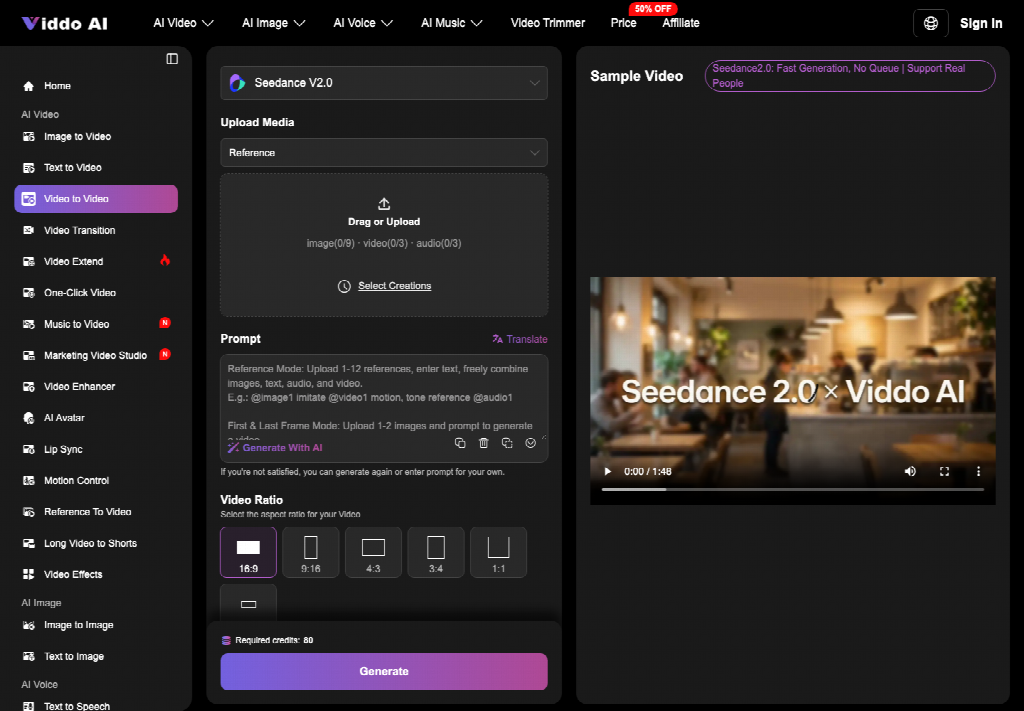
The second error is stacking extra stills. One cleared photo is a witness. Three photos of three different patients become a hybrid body. If the desk only has one approved still, upload that still and leave the rest of the media slots empty.
The third error is publishing the first preview because the room is filling. Preview is not review. Pause on the frame where the hips travel. Hold the card beside the monitor. If a junior cannot say “same move” in one sentence, the file is discarded and the still stays up. The wasted time is the reprint and the patient callbacks, not the two minutes of generation.
What A Health Desk Can Safely Recommend
A clinic that already owns a cleared card can use Viddo AI for a short loop that stays inside that card. It is a poor fit for a “wellness atmosphere” reel that has no sheet, no cue words, and no person the front desk can name.
Keep the tool when the brief is dull: one move, one chair, one TV ratio, and a prompt that repeats the card instead of decorating it. If marketing wants a gym that is not on the sheet, send them back to the sleeve and ask which printed line the loop is allowed to show. Viddo AI does not replace the therapist’s sign-off. It only moves a camera across an exercise the clinic already stood behind.
Health magazines already tell readers to compare the bottle with the claim on the box. Waiting-room video deserves the same habit. If the screen and the laminated card disagree, the screen is the thing that leaves the wall.
Other Articles You May Find of Interest...
- What Email Content Works Best When Targeting Pathologists?
- The Almost-Right Healthcare Image: How to Edit Without Losing What Works
- What Makes a Physicians Email List Reliable? 7 Data Quality Checks for Healthcare Outreach
- Dermatology Marketing: Local SEO Lead Generation Guide for Aesthetic Practices
- Biomechanical Safety in AI-Generated Exercise Videos for Rehabilitation
- What Patients Decide From Your Directory Photo Before They Ever Book
- Comparing AI Meeting Tools for Client Calls in 2026