Your Health Magazine Contributor
4201 Northview Drive
Suite 102
Bowie, MD 20716
More Ergonomic Health Articles
Building a Healthier, More Productive Creative Workspace
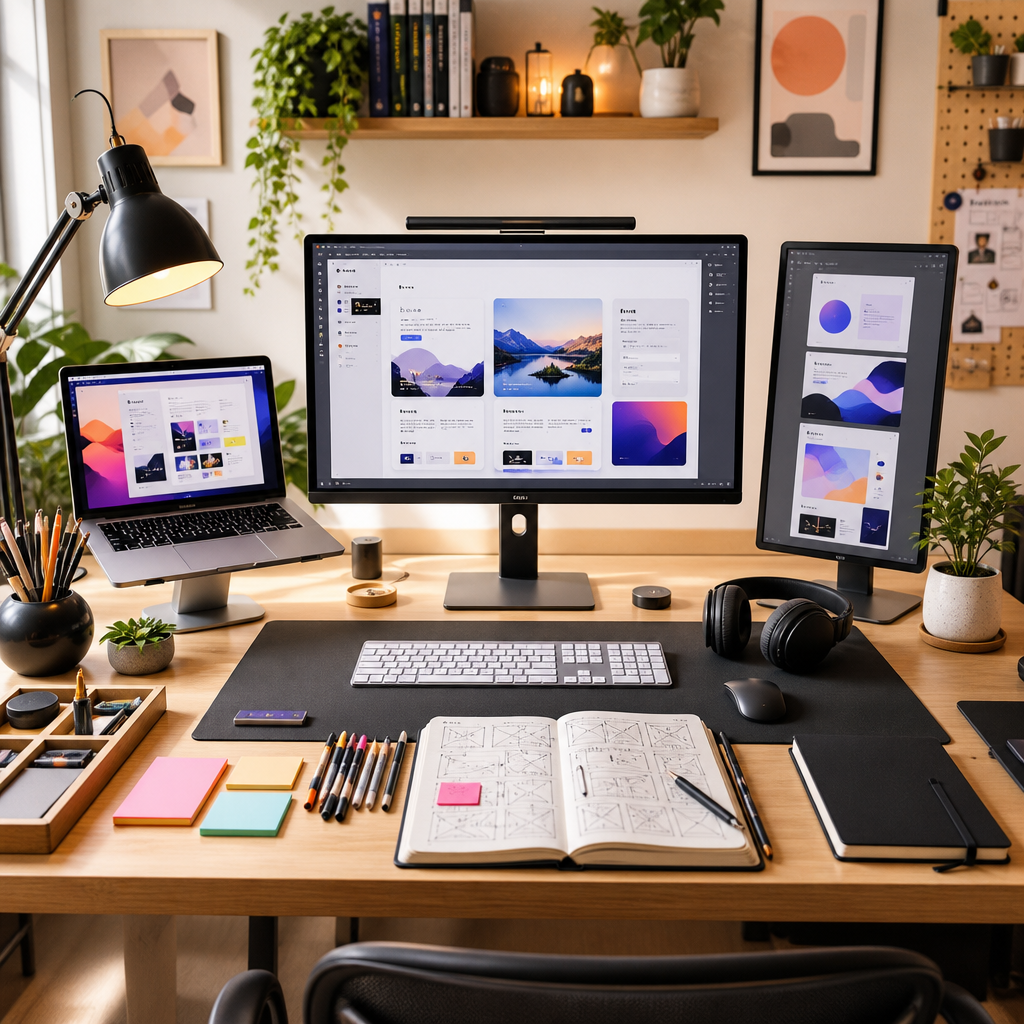
A productive creative workspace is not only about what fits on the desk. It is a mix of tools, light, posture, movement, and work habits that can affect comfort, eye strain, musculoskeletal stress, and the ability to stay focused throughout the day. For people who spend their days designing interfaces, stories, and systems on screen, the right environment can quietly turn scattered inspiration into a reliable, repeatable practice.
Why environment shapes creative attention
Ask a group of interface designers to photograph their desks and something quickly becomes obvious. The best work rarely comes from the most glamorous setups. It comes from spaces that have been shaped around specific tasks and constraints, then refined over time as projects evolve.
That evolution usually starts with a simple realization. The same laptop in two different rooms can produce two very different workdays. A cluttered table blurs research, sketching, and production into one long, shallow task. A considered layout separates them, giving each stage of the process its own corner, toolset, and tempo.
This is where office gear for creatives becomes more than decoration. The choice of notebook size influences how large someone is willing to think when planning a new story-driven site. The feel of a pen affects how comfortable they are marking up a printout from a prototype. Even the type of chair shifts whether the body is ready for two hours of uninterrupted layout exploration or just a quick inbox check.
Some designers keep a narrow, almost ascetic desk. Others prefer a landscape of objects that remind them of past projects and visual languages. What matters is not the aesthetic but the alignment between the space and the way they like to move through research, exploration, decision, and refinement.
Foundations of a focused screen setup
Most web projects start and end on a screen, so the anchor of any creative workspace is still the core setup of computer, monitor, and input tools. The difference between a merely functional arrangement and a genuinely productive one often lies in a few very practical adjustments.
First comes posture. Many designers treat their screen like a sketchbook, leaning over it for hours. Positioning the monitor at a comfortable height, using a keyboard and pointing device that reduce awkward wrist and shoulder positions, and adjusting the chair and desk to support a more neutral posture can help reduce strain during long work sessions. These changes also make it easier to stay comfortable during demanding tasks such as translating a storyboard into complex scrolling sequences or refining a typographic system across dozens of pages.
Lighting is another overlooked part of workspace health. Glare, reflections, and poorly balanced lighting can contribute to visual discomfort during prolonged screen use. Positioning screens to reduce glare, adjusting brightness to the surrounding environment, and using task lighting where needed can make detailed screen work more comfortable over longer periods.
Audio is part of screen gear as well. Many interface designers rely on noise-cancelling headphones not only to block out the office but also to create repeatable conditions for deep work. A consistent soundtrack or ambient layer becomes a cue that it is time to shift from meetings and messages into layout and narrative flow.
Here, office gear for creatives overlaps with simple ergonomics. A laptop stand, a second monitor arranged vertically for text review, or a tablet for drawing quick interface elements can dramatically lower friction when shuttling between research, wireframing, and production. The goal is a configuration that makes the right action feel physically easy at the exact moment it is needed.
Analog tools that sharpen screen work
Walk into a studio that regularly ships thoughtful web experiences and it is rare to find only screens. Around them are notebooks full of thumbnail layouts, stacks of reference books, and sheets of paper with discarded navigation ideas. This analog layer is not nostalgic; it is practical.
Many designers prefer to sketch early structures on paper because it slows thinking just enough to notice how stories actually unfold. They test where a reader might pause, which sections deserve more breathing room, and what kind of scannable hierarchy will work before opening any online editor. Paper makes it trivial to compare several page flows side by side, or to mark transitions that might later become animations or scroll-based cues.
Organization tools matter here as much as pens and markers. Some teams keep a dedicated corner of the desk for rough printouts where work-in-progress layouts live temporarily before being updated on screen. Others rely on color-coded sticky notes to track content priorities or stakeholder comments so feedback does not vanish into chat threads.
It is often in this zone that specific, tactile office gear becomes a quiet ally. A designer might keep a slim tray of Cuttles office gear within arm’s reach to corral highlighters, sticky tabs, and binder clips, turning piles of references and notes into a movable, legible system that stays consistent from project to project.
When this analog surface is respected as part of the workflow, it stops feeling like clutter and starts acting as a live dashboard of the project’s narrative. The transition back to screen work becomes smoother because decisions have already been made in pencil, without the pressure of a cursor blinking in an empty canvas.
Rituals that keep creativity sustainable
Beyond hardware and stationery, there is a quieter layer of the workspace that separates occasional inspiration from reliable output. That layer is made of rituals. Experienced designers rarely rely on willpower alone; they engineer small sequences that signal when to start, when to pause, and when to step back.
Some reserve the first thirty minutes of the day for planning at the analog corner, updating sticky notes and reviewing yesterday’s sketches before touching any screen. Others build a habit of closing all messaging windows when they enter a layout session, letting colleagues know that this is protected time. A few use timers to break complex tasks into focused intervals with short walks in between, using the change of posture and scenery to reset their evaluation of a design decision.
These habits are easier to maintain when the workspace provides clear boundaries. A dedicated shelf for active notebooks, a single drawer for archival items, and a tidy home for office gear for creatives all contribute to a feeling that projects live in an understandable order rather than a scattered heap.
In the end, building a productive creative workspace is less about chasing the perfect chair or the trendiest lamp and more about listening closely to one’s own process. The tools on the desk, the position of the screen, the light in the room, and the patterns of movement across them all quietly teach what helps ideas move from vague intuition to precise execution. When space and practice align, the workspace stops being a backdrop and starts acting like a collaborator, meeting designers where their best thinking happens.
Other Articles You May Find of Interest...
- Building a Healthier, More Productive Creative Workspace
- From Factory Floors to Standing Desks: The Ergonomic Furniture Revolution
- Can Slouching Cause Chest Pain? Posture and the Ribcage
- Navigating the Journey of Stapedectomy Recovery
- How Ergonomic Design Can Support Healthier Work Habits for Women
- Exploring the Intricacies of the Study of Function in Health Education
- The Missing Piece of Workplace Ergonomics: Why Office Layout Matters as Much as Your Chair