






More Practice Management Articles
How Dental Practices Can Evaluate IT Support Providers in 2026
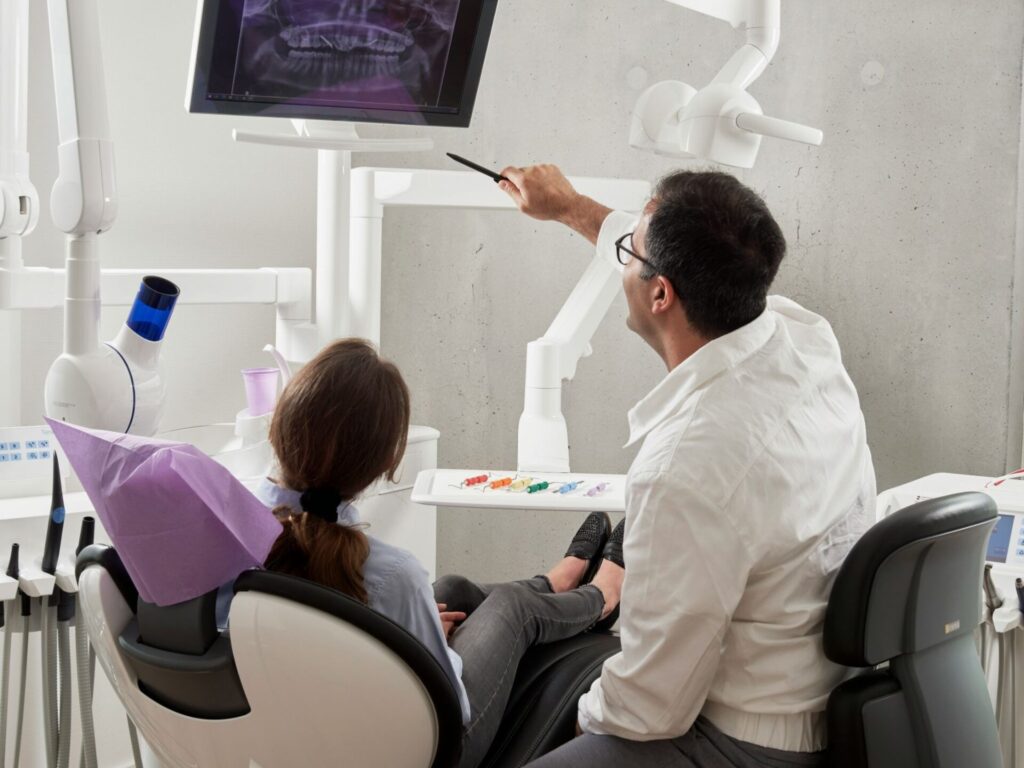
Image source: Unsplash
Reliable technology is now central to dental practice management. Patient records, imaging files, appointment schedules, payment systems, email, backups, and practice management software all need to work consistently for a clinic to run smoothly. When technology fails during patient care, the disruption can affect chair time, staff workflow, patient communication, and revenue.
For that reason, dental practices often need more than general small-business IT support. A provider that understands dental software, imaging systems, cybersecurity, privacy obligations, and clinical workflows may be better positioned to support the day-to-day realities of a modern dental office.
This guide explains what dental practices should look for when evaluating IT support providers in 2026, with Teamwork Technology included as an example of a company focused on dental and medical practice IT support in Australia.
Why IT Support Matters in Dental Practice Management
Dental practices rely on technology across nearly every part of the patient experience. A typical clinic may use practice management software for appointments and billing, imaging software for radiographs and scans, secure cloud storage for patient files, encrypted email for communication, and backup systems to protect clinical and business records.
When those systems are not configured properly or supported quickly, the impact can extend beyond inconvenience. A workstation problem, imaging sensor issue, software lockout, or backup failure can interrupt clinical schedules and create administrative delays. Good IT support helps reduce those risks by keeping systems monitored, updated, secured, and aligned with the way the practice actually operates.
Key Technology Areas Dental Practices Should Review
When comparing dental IT support providers, practices should look beyond basic help-desk availability. The provider should understand the specific systems and risks associated with healthcare and dental environments.
Practice Management Software Support
Dental practices should ask whether the provider has experience with the specific software used in the clinic. In Australia, common platforms may include Dental4Windows, EXACT, Core Practice, and Oasis. Support may involve configuration, updates, database troubleshooting, user access, integrations, migrations, and coordination with software vendors.
A general IT provider may be able to manage computers and networks, but dental-specific software issues often require familiarity with how clinical, billing, imaging, and scheduling systems interact.
Dental Imaging System Support
Digital imaging is another critical area. Systems such as DBSwin, ExaminePro, Mediasuite, Romexis, and Sidexis may require careful setup across sensors, workstations, servers, and networks. If imaging software fails during an appointment, the clinical team may be forced to pause care until the issue is resolved.
Practices should ask whether a provider has experience supporting imaging workflows, sensor recognition issues, workstation communication problems, and imaging software updates.
Cybersecurity and Patient Data Protection
Dental practices hold sensitive patient information, which makes cybersecurity a core practice management concern. Firewalls, endpoint protection, encryption, secure backups, access controls, regular security audits, and staff awareness all play a role in reducing risk.
Practices should also ask how an IT provider approaches incident response, ransomware prevention, backup testing, and secure communication. Cybersecurity should be part of the ongoing support model, not an afterthought added only after a problem occurs.
Cloud Backup and Disaster Recovery
Backups are only useful if they are complete, secure, and recoverable. Dental practices should confirm whether backups are automated, monitored, encrypted, stored offsite, and tested regularly. A disaster recovery plan should explain how quickly systems can be restored after a server failure, cyber incident, accidental deletion, or physical damage to equipment.
For multi-site practices, backup and recovery planning becomes even more important because a single technology failure may affect multiple locations.
Response Times and Support Coverage
Response time matters in healthcare settings. A printer issue may be inconvenient, but an imaging sensor failure or practice management software lockout during appointments can directly affect clinical operations. Dental practices should ask how the IT provider prioritizes urgent issues and whether after-hours support is available.
Providers that offer structured escalation paths for clinical-impacting incidents may be better suited to practices with early-morning, evening, weekend, or multi-location schedules.
Example Provider: Teamwork Technology
Teamwork Technology is an Australian-owned IT services provider that supports dental and medical practices, as well as other businesses. The company was established in 2010 and operates from offices in Castle Hill, New South Wales; Port Melbourne, Victoria; and Bundall, Queensland.
According to the company’s service information, Teamwork Technology works with dental practice management software, imaging systems, cybersecurity, cloud backup, secure communication, and 24/7 monitoring. Its dental IT focus may be relevant for Australian clinics that want a provider familiar with clinical software, imaging workflows, and healthcare data protection expectations.
Areas Teamwork Technology Lists as Part of Its Dental IT Support
- Practice management software: Dental4Windows, EXACT, Core Practice, Oasis, configuration, troubleshooting, upgrades, and migrations.
- Imaging systems: DBSwin, ExaminePro, Mediasuite, Romexis, Sidexis, and sensor-related support.
- Cybersecurity: Firewalls, encryption, endpoint protection, security audits, and related protection measures.
- Cloud and backup: Secure cloud storage, offsite backup, and disaster recovery planning.
- Network and infrastructure: Practice network design, server setup, workstation deployment, printers, and peripherals.
- Secure communication: Encrypted email, secure messaging, and telehealth-related platforms.
- Monitoring and incident response: Infrastructure monitoring and prioritization for clinical-impacting issues.
- On-site and remote support: On-site support in parts of NSW, VIC, and QLD, with remote support available nationally.
Questions to Ask Before Choosing a Dental IT Provider
Before selecting an IT support company, dental practices should ask specific questions about experience, coverage, security, and accountability.
- Which dental practice management platforms does the provider support regularly?
- Does the provider have experience with the clinic’s imaging software and hardware?
- How are urgent clinical-impacting issues prioritized?
- Is after-hours or 24/7 support available, and what does it include?
- How are backups monitored and tested?
- What cybersecurity protections are included in the standard support model?
- How does the provider handle ransomware prevention and incident response?
- Are support agreements structured for single-location or multi-site practices?
- Does the provider offer both remote and on-site support where needed?
- How are fees structured after the initial assessment?
Dental IT Provider Comparison Checklist
| Area to Review | Why It Matters |
|---|---|
| Dental software experience | Practice management and imaging platforms often require dental-specific knowledge. |
| Cybersecurity program | Dental practices store sensitive patient and financial information. |
| Backup and recovery testing | Backups must be recoverable after system failures, cyber incidents, or data loss. |
| Clinical incident prioritization | Software or imaging failures can interrupt appointments and patient care. |
| Support coverage | Evening, weekend, or multi-location practices may need support beyond standard business hours. |
| On-site availability | Some hardware, network, and imaging problems may require in-person assistance. |
| Scalability | Growing practices need systems that can support additional chairs, staff, devices, and locations. |
When a Dental Practice May Need Specialized IT Support
A dental practice may benefit from specialized IT support if it is experiencing recurring software issues, unreliable backups, imaging system interruptions, slow network performance, cybersecurity concerns, or difficulty coordinating between software vendors and hardware providers.
Specialized support may also be useful during major transitions, such as opening a new location, adding chairs, migrating to cloud-based systems, replacing servers, adopting secure communication tools, or standardizing technology across a group practice.
Frequently Asked Questions
Why do dental practices need specialized IT support?
Dental practices use software and hardware that general small-business IT providers may not encounter regularly. Practice management platforms, imaging systems, sensors, secure patient records, and clinical workflows all create technology needs that are specific to dental offices.
What software should a dental IT provider understand?
The answer depends on the practice. In Australia, many clinics use systems such as Dental4Windows, EXACT, Core Practice, Oasis, DBSwin, ExaminePro, Mediasuite, Romexis, and Sidexis. Practices should confirm that any IT provider has experience with their actual software stack.
How important is cybersecurity for dental practices?
Cybersecurity is very important because dental practices store sensitive patient and financial information. Firewalls, encryption, endpoint protection, backup testing, staff training, access controls, and incident response planning can all help reduce technology risk.
Should dental practices require 24/7 IT support?
Not every practice needs the same level of coverage. However, clinics with extended hours, multiple locations, or high reliance on digital imaging and cloud systems may benefit from after-hours support or a clear emergency escalation process.
What should a clinic ask during an IT discovery call?
Useful questions include which dental systems the provider supports, how urgent issues are prioritized, how backups are tested, what cybersecurity tools are included, whether on-site support is available, and how pricing changes as the practice grows.
Does Teamwork Technology only support dental practices?
Teamwork Technology describes dental and medical IT as key areas of focus, but the company also supports broader business IT. Dental practices considering the company should ask how its services would apply to their specific software, locations, security requirements, and support needs.
Final Thoughts
Technology is now part of daily clinical operations for most dental practices. A reliable IT support provider can help reduce downtime, protect patient information, support imaging and practice management systems, and create a more stable environment for staff and patients.
For Australian dental practices comparing providers in 2026, the strongest approach is to evaluate dental software experience, cybersecurity practices, backup recovery planning, response times, support coverage, and on-site availability. Companies such as Teamwork Technology may be relevant examples for practices looking for dental-focused IT support, but each clinic should compare providers based on its own systems, locations, budget, and risk profile.
Other Articles You May Find of Interest...
- Pre-Employment Testing Tools for Healthcare Hiring: What to Consider
- How Custom EHR Systems Are Reducing Physician Burnout
- A Beginner’s Guide to Revenue Cycle Management for Oral Surgery Practices
- Adding Branded Body Care to Your Practice: Aerosol Foam or Pump Foamer?
- How Concierge Billing Management Simplifies Practice Operations
- Branded Merchandise for Healthcare Practices: Corporate Mugs and How to Find a Promotional Products Distributor
- Adding Reformer Pilates to a Physical Therapy or Chiropractic Practice