




Your Health Magazine Contributor
4201 Northview Drive
Suite 102
Bowie, MD 20716
More Health Technology Articles
How To Turn Clinical Stills Into Explainer Clips With Seedance 2.5
Explaining physical therapy exercises often stalls when patients struggle to visualize motion from a flat printed brochure. Medical practices can resolve this bottleneck by adopting seedance 2.5 to transform static diagrams into gentle, continuous movement.
The creative studio on SeedVideo provides a practical solution by connecting high-resolution visual inputs directly to ByteDance’s dedicated video model. Instead of organizing expensive video shoots with live actors or risking patient privacy in clinical photography, healthcare communicators can now animate approved anatomical drawings. A patient preparing for shoulder rehabilitation needs to observe the exact arc of movement, the elevation speed of the arm, and the neutral alignment of the spine. When staff rely solely on static paper illustrations, patients frequently misinterpret the direction of resistance, leading to improper posture or wasted rehabilitation time.
Transforming these instructional assets into short, looping video demonstrations bridges the communication gap between clinician recommendations and home adherence. By focusing the generation on controlled, subtle physical actions, clinical teams maintain complete oversight over medical accuracy while giving patients clear visual guidance.

Preparing Approved Anatomy Diagrams For Safe Video Generation
Successful clinical video generation starts with the quality and clarity of the original source asset. Medical illustrations must communicate precise anatomical boundaries before any motion prompt is introduced into the generator interface. Healthcare practices should establish a review protocol for every clinical graphic before uploading it to a video-generation platform.
Clinical diagrams frequently contain distracting elements such as medical callout arrows, anatomical labels, measurement grids, or institutional watermarks. If left untouched, generative video models frequently attempt to interpret text overlays as moving physical geometry, resulting in unreadable smears across the screen. Cropping the image to focus cleanly on the joint complex or torso ensures the neural network concentrates entirely on natural human kinetics.
Cleaning Patient Identifiers And Watermark Artifacts
Healthcare practices should use original anatomical illustrations or properly de-identified materials whenever possible. Simply obscuring a patient’s face does not necessarily satisfy HIPAA privacy requirements. Before uploading any patient-related information to an external AI platform, practices must ensure compliance with applicable privacy laws, including any required business associate agreements. Removing identifying text and unnecessary visual elements can also improve the quality of generated videos.
Technical file requirements also determine initial generation stability. The input diagram should be exported as a high-resolution JPG or PNG file, comfortably within the platform’s 30 MB single-frame limit. Ensuring the background possesses consistent contrast against the patient silhouette prevents edge artifacts from warping into phantom geometry once the motion begins.
Three Step Workflow For Generating Believable Patient Motion
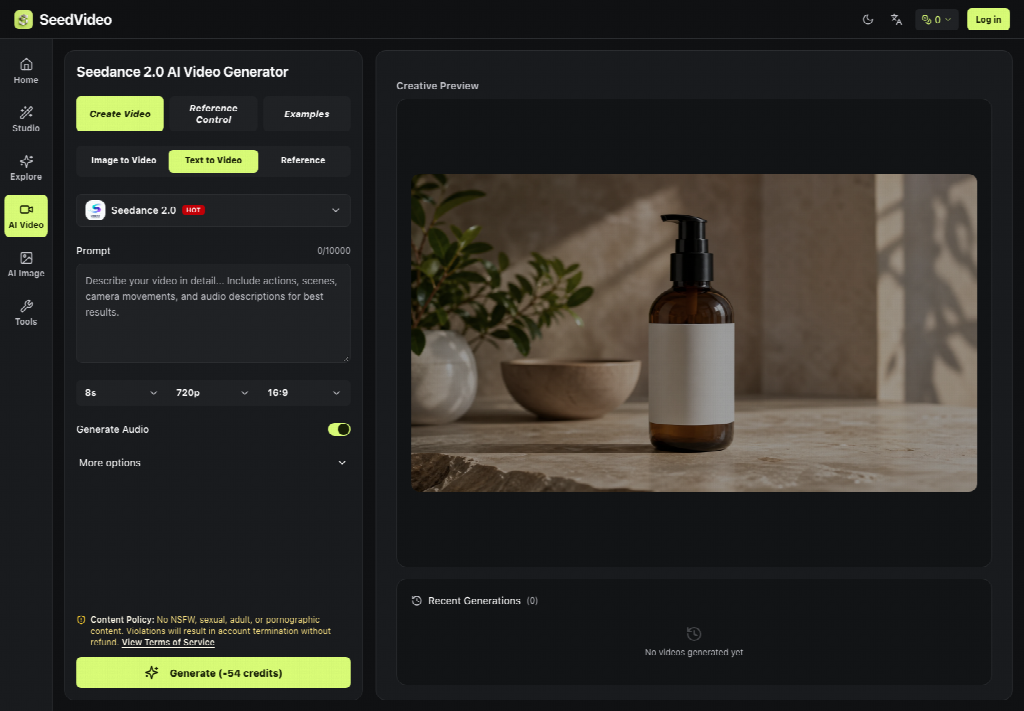
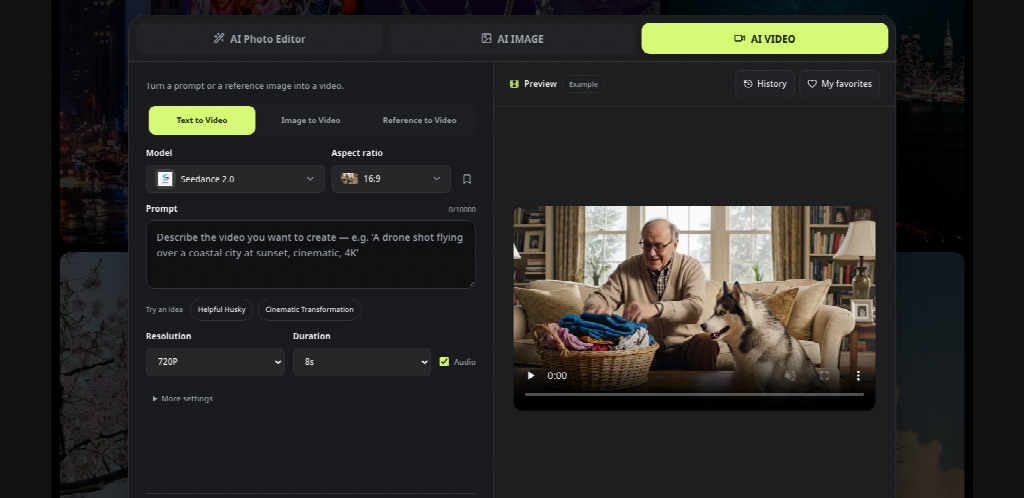
Translating an approved medical still into an instructional video requires a disciplined sequence of decisions. Within the SeedVideo creative studio, creators select the Image to Video tab to upload their base diagram. Moving sequentially through asset selection, framing setup, and prompt structuring prevents anatomical drift and keeps motion clinically credible.
Setting The First Frame And Framing Ratio
The first frame serves as the anatomical anchor for the entire generated sequence. By utilizing the dedicated first-frame upload container, practitioners establish the baseline patient posture, limb placement, and clinical environment. The interface automatically adopts an aspect ratio matching the dimensions of your uploaded still, avoiding awkward letterboxing or artificial compression of body proportions.
Clinicians should select a duration between four and ten seconds for single-movement demonstrations. A brief duration prevents the algorithm from improvising secondary, unrequested gestures that could confuse an injured patient. For a standard rotator cuff external rotation exercise, a six-second clip provides ample room to illustrate a steady concentric pull, a brief pause, and an eccentric return to the starting position.
Prompting Natural Trajectories Without Unintended Body Warping
Writing the descriptive prompt requires clinical restraint rather than poetic elaboration. Focus descriptive tokens on joint trajectories, muscle pacing, and fixed reference points while explicitly commanding secondary limbs to remain stable. Ambiguous instructions such as “make the patient exercise dynamically” invite erratic, unnatural joint flexing that violates physical therapy guidelines.
A structured prompt should define the camera angle, the primary joint action, and the steady cadence of the repetition. Specifying “the camera remains static at chest height while the forearm rotates horizontally outward by forty-five degrees” gives the model clear motion boundaries. Enabling the built-in audio toggle can also generate quiet ambient room sound or a rhythmic breathing cue that helps patients pace their repetitions at home.
Verification Protocol Before Patient Facing Video Distribution
No generated video should ever be published to a patient portal or broadcast on a clinic waiting room display without rigorous clinical review. Automated video tools cannot comprehend biomechanical safety; they simply predict plausible pixel progressions based on training patterns. A structured clinical inspection process should evaluate every generated clip before it is approved for patient education.
First, clinicians evaluate anatomical stability throughout the entire duration. Reviewers examine joint junctions, spinal curvature, and extremity lengths from the initial frame to the final frame to ensure bones do not stretch, bend unnaturally, or drift out of alignment. If a knee joint demonstrates subtle valgus collapse or an elbow appears to hyperextend during movement, the team promptly discards the generation rather than attempting to edit around faulty mechanics.
When evaluating a generated movement clip, clinicians should check carefully for anatomical distortions or inaccurate exercise movements. Tools such as seedance 2.5 can generate animated demonstrations, but their medical accuracy cannot be assumed. Any video intended for patient education should undergo clinical review before distribution through patient portals, QR-code materials, or consultation displays.
Comparing Static Diagram Explanations With Controlled Video Motion
Evaluating clinical media production methods requires balancing instructional efficacy against financial and operational overhead. Healthcare practices frequently struggle between cheap paper handouts that fail to communicate proper mechanics and professional video productions that exceed departmental budgets. The following operational comparison highlights how synthetic diagram animation fits into everyday outpatient care.
Production Time: Generating short animated clips may require less production time than organizing traditional video shoots, although results vary depending on the complexity and review requirements.
Biomechanical Accuracy: Animated demonstrations can illustrate continuous movement, but AI-generated joint trajectories must be reviewed for medical accuracy.
Patient Understanding: Video demonstrations may help patients visualize exercises, although their effectiveness depends on instructional quality and individual patient needs.
Production Costs: Using existing clinical illustrations may reduce some production expenses, but software fees, revisions, and clinical review should also be considered.
Practical Implementation Guidance For Patient Education Teams
Incorporating synthetic video creation into healthcare workflows succeeds best when clinical specialists divide responsibilities between content drafting and clinical verification. Physical therapy aides or communications staff can prepare source diagrams, input motion prompts, and generate initial clip options within the studio workspace. A licensed physical therapist or appropriately qualified clinician should then review the complete video for anatomical accuracy, safe movement, and consistency with the intended exercise instructions before approving it for patient use.
Practitioners should begin by converting their ten most common exercise prescriptions into digital video assets. Building a verified digital library of core movements allows clinics to assemble comprehensive home exercise regimens with minimal ongoing effort. Over time, having clear visual demonstrations readily accessible boosts patient confidence, reduces treatment anxiety, and reinforces clinical guidance long after patients leave the examination room.
For independent medical practices balancing limited media budgets with rigorous patient comprehension, SeedVideo bridges the gap between static paperwork and dynamic visual instruction. Adopting a structured generation protocol ensures clinical standards remain uncompromised while delivering modern, accessible care resources to the communities you serve.
Other Articles You May Find of Interest...
- How To Turn Clinical Stills Into Explainer Clips With Seedance 2.5
- Improving Healthcare Network Performance with Managed SD-WAN Solutions
- Recording Medical Appointments With A Wearable Ai Note Taker
- The Future of Patient-Centered Healthcare in a Digital World
- Why the Human Element Still Matters as AI Enters Critical Care
- How to Use AI Search to Find a Doctor, and What It Still Gets Wrong
- In Health Care, Your Inbox Can Contain Part of the Patient Record