Your Health Magazine Contributor
4201 Northview Drive
Suite 102
Bowie, MD 20716
More Health Technology Articles
5 Managed PACS Support Companies for Hospitals and Imaging Centres
A stalled order feed or a missing prior study can disrupt an entire reading schedule. PACS support has to handle those everyday problems as well as software faults.
The real question is who owns each problem when it crosses systems.
The main choice is between support from your PACS vendor and an outsourced team that runs an agreed environment across vendors. The right fit depends on your installed systems, internal staffing, migration plans, and the level of operational support you need.
The providers below represent two different support models: outsourced, vendor-neutral PACS operations and vendor-run support programs for their own platforms.
How to Compare PACS Support Providers
Several factors can help healthcare organizations compare PACS support providers.
Coverage and escalation. Phone access alone does not tell you who owns a problem or how an unresolved issue moves between teams. Review the available support hours, escalation procedures, and service-level commitments.
Remote monitoring. A proposal should explain what is monitored and what happens after an alert.
Vendor-neutral versus vendor-specific scope. Some providers support an agreed environment across different systems, while vendor-run programs generally focus on their own product families.
Interfaces, migrations and continuity. DICOM and HL7 support, migration assistance, disaster recovery, and business continuity can all matter when evaluating the overall support model.
What PACS Support Actually Includes
Product support usually covers the vendor’s own software, including defects, patches, upgrades, and usage questions. It should not be assumed to cover every connected modality, interface, archive, or third-party system.
Managed PACS operations can add services such as monitoring, user administration, interface management, recovery planning, and migrations.
Before choosing a provider, create a responsibility map showing which tasks belong to your internal team, the PACS vendor, and any managed-services provider.
RAD365
Pros
- 24/7 outsourced PACS support with engineers on shift around the clock
- Bridge support for legacy and vendor-abandoned PACS until migration or consolidation is complete
- ITIL-based incident lifecycle with L1 and L2 support tiers and severity-based SLAs
- DICOM routing, modality worklist, and integration between modalities, PACS, and RIS
Cons
- No published price list, so budgeting begins with an assessment and quote
- Works alongside the PACS vendor rather than replacing the vendor’s software maintenance
- The broader portfolio also includes services such as peer review and preliminary reads, so organizations should define exactly what their PACS support contract includes
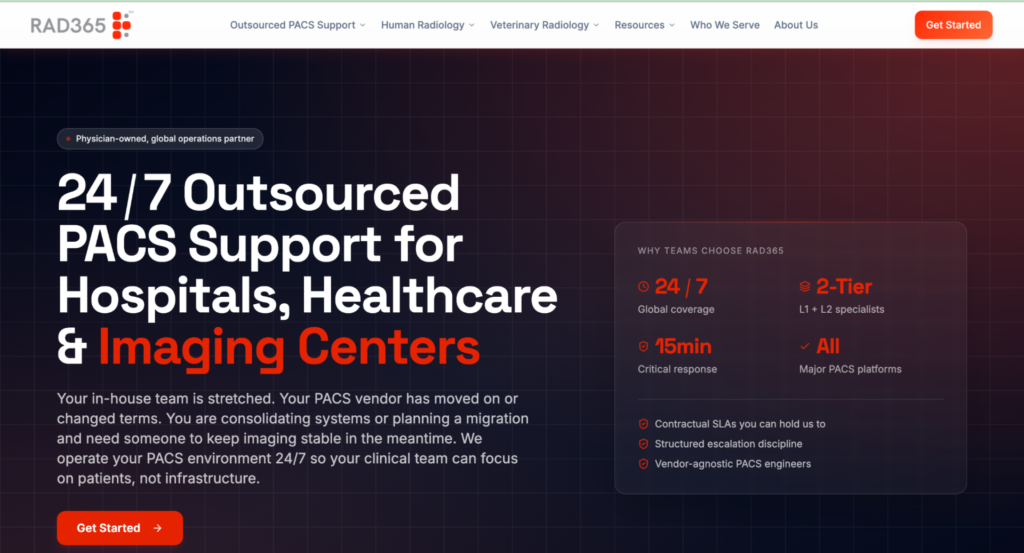
RAD365 is a physician-owned operations partner whose remit follows the PACS environment rather than one software product.
Its services include monitoring, troubleshooting, user management, and daily PACS administration across legacy, active, and consolidating environments.
Multi-PACS consolidation is another area of focus, with unified L1 and L2 support, incident management, and SLA-backed coverage. This model may be particularly relevant for organizations operating mixed-vendor environments or going through phased migrations.
Pricing
Pricing is quote-based. An assessment can help document the existing environment, support requirements, and migration plans before a technical proposal is prepared. Organizations should identify every site and legacy system that needs to be included in the scope.
Intelerad
Pros
- Technical support available by phone and through an online service portal
- Automated remote monitoring of vital software functions, including emergency alerts
- Published Support Services Schedule outlining support scope and client responsibilities
- Remote log checks and preventative maintenance
Cons
- The support schedule covers Intelerad’s licensed software rather than third-party PACS products
- Clients must maintain the required remote connection
- Onsite visits may involve additional fees
- Growth-related and project services may fall outside standard support
Intelerad may be a practical option when its software already sits at the center of an organization’s imaging environment.
Automated remote monitoring can operate continuously, while technical support is provided according to the applicable support agreement. After-hours or emergency technical assistance outside contracted support hours may be handled separately and can involve additional fees.
The company’s published schedule also spells out obligations and exclusions. For example, certain work associated with modifying patient demographics to synchronize with a new HIS, RIS, EHR, or PACS may fall outside standard support. Those distinctions are important to establish before a migration or major integration project.
Pricing
Pricing is quote-based. Organizations should ask which services are included under the applicable support agreement and which may carry additional fees, including after-hours assistance, onsite work, travel, upgrades, and project services.
Sectra
Pros
- 24/7 customer support through service and support resources
- Remote monitoring designed to identify problems before they significantly affect users
- Disaster recovery services that can include database backups and mirrored archived data
- Support for DICOM and HL7 standards, including integration technologies
Cons
- Primarily designed to support Sectra systems rather than provide vendor-neutral PACS operations
- Disaster recovery may be offered as a separate service, so organizations should confirm whether it is included
- Standards compatibility does not necessarily mean Sectra assumes responsibility for every connected third-party interface
Sectra can be a strong vendor-run option for organizations already using its imaging platform.
Its support infrastructure combines local and broader support resources, while remote monitoring is designed to help identify system problems proactively.
Disaster recovery is another important consideration. Available services can include backups and mirrored copies of archived data intended to support restoration after a system failure.
Organizations that acquire facilities using another vendor’s PACS should confirm whether those systems are covered or require a separate support arrangement.
Pricing
Request a quote that clearly separates base product support from disaster recovery, integration work, migration services, and other optional services.
Fujifilm Synapse
Pros
- Technical Assistance Center staffed around the clock for Fujifilm product support
- Dedicated phone support for requests requiring immediate attention
- Service requests available through the Synapse Community portal
- Support personnel with certifications across technologies such as VMware, Oracle, and Microsoft
Cons
- Support is primarily structured around the Synapse suite of products
- Maintenance-contract status may need to be verified before support work begins
- Escalation procedures beyond the initial Technical Assistance Center should be defined in the support agreement
Fujifilm’s Technical Assistance Center provides a central point of contact for Synapse support.
Support requests are assigned a case number and technical support resource. The portal provides a route for non-urgent requests, while urgent issues can be handled by phone.
For organizations operating several PACS products, however, it is important to determine who owns problems involving systems outside the Synapse environment.
Pricing
Support is generally tied to Fujifilm maintenance agreements. Confirm what level of TAC access is included and obtain separate pricing for upgrades, projects, onsite work, integrations, or other services outside the standard maintenance scope.
AGFA HealthCare
Pros
- Managed services that can include monitoring, database tuning, security patching, and failover testing
- GRIP services for ongoing monitoring of Enterprise Imaging environments
- Business Continuity and Disaster Recovery services for network, power, or data-center disruptions
- Patching and Endpoint Managed Services and Database Managed Services
Cons
- Services are primarily structured around AGFA Enterprise Imaging
- Different functions may be delivered as separate managed services, so the scope needs to be itemized
- Monitoring by itself should not be treated as a complete recovery strategy
AGFA HealthCare may be worth considering when an Enterprise Imaging customer wants assistance with ongoing system maintenance in addition to troubleshooting.
Database tuning, patching and failover testing are concrete tasks to weigh against your team’s workload, the same way a practice weighs outsourcing admin work against hiring.
GRIP is designed to monitor Enterprise Imaging environments and identify potential issues, while Business Continuity and Disaster Recovery services address continuity following significant disruptions.
Because these services are described primarily in connection with Enterprise Imaging, organizations should confirm the scope of support for any third-party PACS, archives, interfaces, or related systems.
Pricing
Ask for an itemized, scope-based quote showing the services included, optional modules, exclusions, and responsibilities that remain with the organization’s internal team.
Choosing the Right PACS Support Model
The right PACS support model depends on what systems an organization operates and who currently owns each type of problem.
An outsourced, vendor-neutral provider may suit organizations that need operational assistance across an entire environment, particularly during consolidation, acquisition, or a planned migration.
Vendor-run programs may be a better fit when one platform dominates the imaging environment and the organization primarily needs direct product expertise.
Intelerad offers a documented support framework for its software. Sectra provides product support alongside options such as monitoring and disaster recovery. Fujifilm provides Synapse customers with access to its Technical Assistance Center, while AGFA offers several managed-service options for Enterprise Imaging environments. RAD365 represents the vendor-neutral model, supporting agreed PACS environments across legacy, active, and transitioning systems.
Before signing a contract, list every PACS, archive, interface, modality, and site that needs support. Assign responsibility for each function and then request quotes based on the same defined scope.
Frequently Asked Questions
What is the difference between PACS product support and managed PACS services?
Product support generally covers the vendor’s own software, including defects, patches, upgrades, and product-related questions. Managed PACS services can take responsibility for agreed operational functions such as monitoring, administration, interfaces, incident management, and migration support.
Do PACS vendor support contracts cover other vendors’ systems?
Not automatically. Vendor support programs are generally structured around their own software. Third-party PACS products, archives, modalities, and interfaces should have a clearly identified support owner in the contract.
What is PACS bridge support?
Bridge support helps keep a legacy or vendor-abandoned PACS operating during the period before migration, replacement, or consolidation is complete.
What should a PACS support quote include?
A PACS support quote should clearly identify every site, PACS, modality, interface, and archive included in the scope. It should also distinguish between base support, monitoring, incident management, disaster recovery, migration work, integrations, and other project services.
Other Articles You May Find of Interest...
- 5 Managed PACS Support Companies for Hospitals and Imaging Centres
- 5 QR Code Generators for Hospitals, Clinics, and Health Information
- 5 FHIR Software Development Companies to Consider in 2026
- Pulsed Field Ablation Is Shaking Up the World of EP Therapy
- Armin Ernst: What AI Actually Changes in Healthcare Delivery
- AI Can Fix Prior Authorization, but Only With Humans in the Loop
- Why Documentation Matters in Complex Product Development