More Health Technology Articles
iPhone Health & Fitness Apps for 2026: 12 Apps to Support Your Wellness Routine
Smartphone-based health tools have become a standard complement to traditional care. These twelve iPhone apps cover the main pillars of wellness – exercise, nutrition, sleep, and mental health – and earn their place on a 2026 iPhone.

The global mobile health app market reached an estimated USD 37.48 billion in 2024, according to Grand View Research, with projections pointing toward USD 86.37 billion by 2030. Hundreds of thousands of health and fitness apps are now available across iOS and Android, and the category continues to grow.
Three developments define the 2026 landscape for iPhone users. AI technologies can enhance workout personalization in fitness applications, creating adaptive programs that adjust to real-time progress. Deeper Apple Health integration and Apple Watch sensor data – from heart rate to sleep stages – give apps richer inputs to work with. And stricter privacy norms mean users have more control over who sees their health data.
Not every health app delivers on its promises. The ones that do share common traits: structured guidance that builds on itself over time, content aligned with evidence, robust apple health integration, and design that supports habit formation rather than novelty. Fitness apps can track workouts, nutrition, and wellness metrics – but they are tools that support healthy habits, not replacements for professional medical advice. Individuals managing chronic conditions or considering significant lifestyle changes should consult their healthcare provider before starting a new program.
This guide covers twelve leading iOS health apps across exercise, nutrition, sleep, mental wellness, and recovery, evaluated on guidance quality, ecosystem integration, privacy practices, evidence base, user experience, and price-to-value ratio.
Key Takeaways
- MadMuscles holds over 117,000 iOS ratings and a 4.4 out of 5 star average.
- Nike Training Club offers free workouts and holds a 4.8 out of 5 average from approximately 269,700 iOS reviews.
- MyFitnessPal maintains a food database of over 14 million entries with Apple Health sync.
- A 2024 meta-analysis in JMIR mHealth and uHealth found mHealth apps increased physical activity across 28 randomized controlled trials.
- Sleep tracking apps on iPhone now integrate sleep stages, heart rate trends, and smart alarm features.
- Many fitness apps synchronize with Apple Health for a centralized dashboard of daily activity.
- Consult a healthcare provider before making significant changes to exercise or nutrition routines, especially with existing conditions.
About This Guide
This article discusses several widely used health and fitness apps available for iPhone users in 2026. Information was compiled from publicly available app descriptions, platform information, published research, and user-reported features. Features, pricing, compatibility, and availability may change over time. Readers should review current information on the App Store before downloading any app.
At a Glance: 12 iPhone Health & Fitness Apps
| App | Category | Good Choice For | Apple Health Sync | Apple Watch Support | Free Tier |
| MadMuscles | Fitness | AI-personalized fitness plans | Yes | Yes | Limited |
| Apple Fitness+ | Fitness | Apple ecosystem users | Yes | Required | No |
| MyFitnessPal | Nutrition | Calorie and macro tracking | Yes | Yes | Yes |
| Strava | Fitness | Runners and cyclists | Yes | Yes | Yes |
| Calm | Mental Health | Sleep and meditation | Yes | Yes | Limited |
| Headspace | Mental Health | Guided meditation programs | Yes | Yes | Limited |
| Sleep Cycle | Sleep | Sleep tracking and smart alarms | Yes | Yes | Limited |
| Nike Training Club | Fitness | Free workouts | Yes | Yes | Yes |
| Fitbod | Fitness | AI strength training | Yes | Yes | Limited |
| Peloton App | Fitness | Cardio and strength variety | Yes | Yes | Limited |
| Lose It! | Nutrition | Weight management | Yes | Yes | Yes |
| AutoSleep | Sleep | Passive Apple Watch sleep tracking | Yes | Required | No |
12 iPhone Health & Fitness Apps
1. MadMuscles – Best for AI-Personalized Fitness Plans
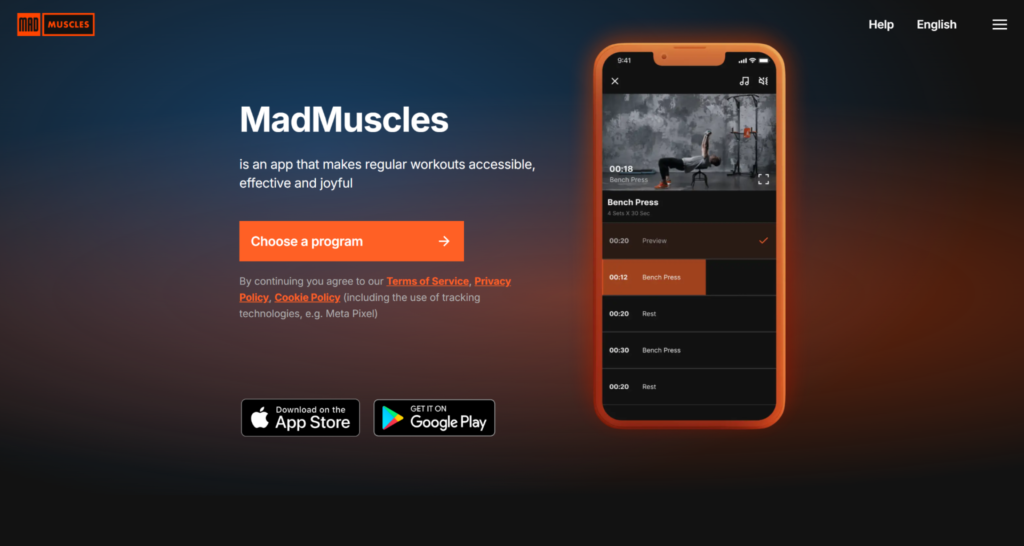
What it is: MadMuscles is an AI-driven fitness app available on iPhone that builds a personalized training program around a user’s starting fitness level, available equipment, training history, and goals. A quiz can personalize workout and nutrition plans based on user preferences, and the app adjusts load and intensity as the user progresses.
Key features: MadMuscles offers 18+ workout program types, ranging from calisthenics and strength training to tai chi and indoor walking. Its HIIT programs include over 100 exercises. Users can customize workout duration from under 20 minutes to over 60 minutes, and the app includes military-style workouts for experienced users. MadMuscles provides specialized programs for seniors and limited mobility, including chair workouts and an adaptive program offered free to veterans. Fitness apps often provide video demonstrations for exercises to aid user understanding, and MadMuscles includes video demonstrations with voice-guided instructions for every exercise. Personalized meal plans can be tailored to dietary restrictions and preferences, with over 100 recipes developed by professional dietitians.
Apple ecosystem integration: Supports apple health sync on iOS 16.1 or later. Compatible with Apple Watch for workout and step tracking.
Subscription model: Freemium, with monthly, quarterly, annual, and lifetime subscription options. Meal plans available as a premium add-on.
Strengths:
- Adaptive difficulty based on post-workout ratings and user performance
- Available in 18 languages with 200+ exercises in the database
- MadMuscles complies with GDPR regulations for data protection and uses AES-256 encryption for user data protection
Considerations:
- Oriented toward general strength and body-composition fitness goals, not clinical rehabilitation or sport-specific specialist programming
- As with any new exercise program, individuals with chronic conditions or recent injuries should consult their healthcare provider before starting
The bottom line: A structured, quiz-driven fitness app that scales from beginners to experienced athletes.
2. Apple Fitness+ – Best for Apple Ecosystem Users
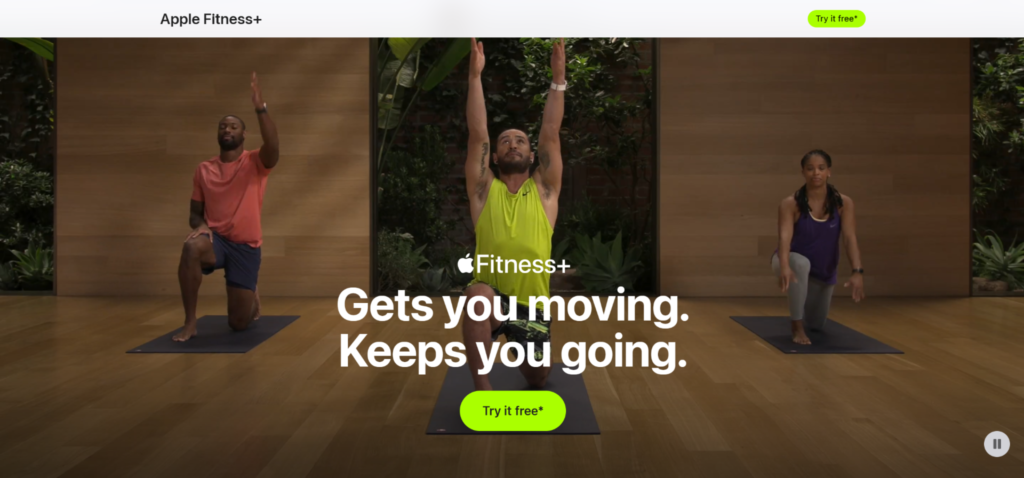
What it is: Apple Fitness+ is Apple’s native fitness subscription service, offering guided workouts, meditation sessions, and audio walks across categories including HIIT, strength training, yoga, pilates, and cycling.
Key features: Real-time metrics from Apple Watch appear on screen during workouts, including heart rate, calories burned, and activity rings. Trainers provide modifications for different fitness levels, and the library spans hundreds of sessions. Users can log mindful minutes through guided meditations.
Apple ecosystem integration: Native integration with Apple Health and Apple Watch. Requires Apple Watch Series 3 or later.
Subscription model: USD 9.99 per month or USD 79.99 per year. Included with Apple One Premier.
Strengths:
- Seamless data flow between watch, phone, and Apple Health record
- Broad workout types with consistent production quality
- No third party apps needed for full functionality
Considerations:
- Requires Apple Watch – not everyone has one
- Limited personalization compared to AI-driven alternatives
The bottom line: The most integrated fitness app for users already invested in Apple devices.
3. MyFitnessPal – Best for Nutrition Tracking and Calorie Counting
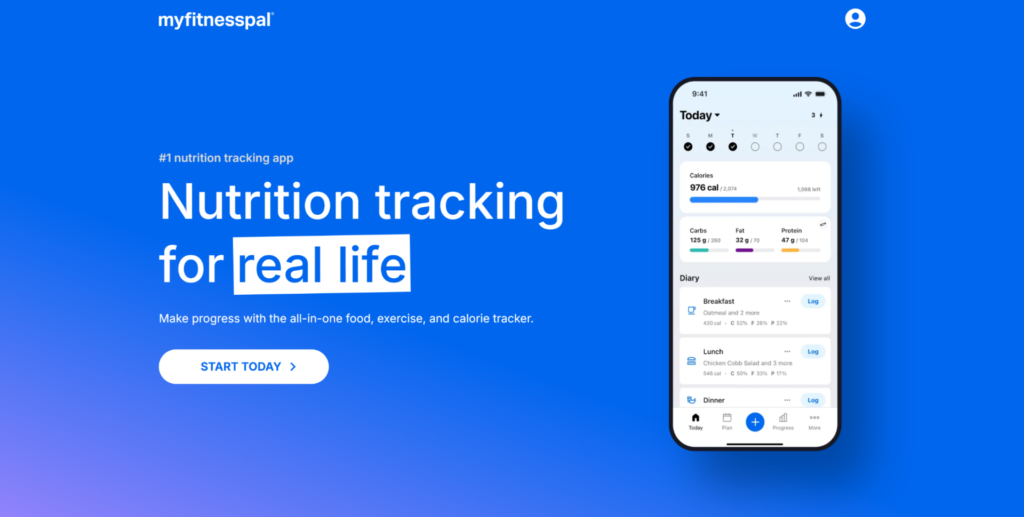
What it is: MyFitnessPal is one of the most established iPhone nutrition apps, with a food database of over 14 million entries and barcode scanning for fast logging. Owned by Francisco Partners since 2020.
Key features: MyFitnessPal tracks caloric intake and macronutrients, and nutritional tracking apps like this can focus on detailed nutrient and vitamin analysis. Calorie counting apps aid in managing food intake and nutrition tracking, and MyFitnessPal writes caloric intake data to Apple Health. A validation study published in BMJ Nutrition, Prevention and Health found that MyFitnessPal underestimates protein by approximately 7.8 percent and carbohydrates by approximately 6.4 percent compared to professional dietitian-logged recalls. Cronometer allows barcode scanning for food tracking as an alternative in this category.
Apple ecosystem integration: Supports Apple Health sharing for food, weight, exercise, and nutrients. Apple Watch app available.
Subscription model: Free tier with ads. Premium subscription removes ads and adds advanced nutrition features.
Strengths:
- Largest crowd-sourced food database available on iOS
- Bidirectional weight sync with Apple Health
- Effective for users who want to keep track of daily intake
Considerations:
- Crowd-submitted entries can contain inconsistencies in sodium and micronutrient data
- Free tier is ad-supported and feature-limited
The bottom line: The standard-bearer for iPhone nutrition tracking, backed by a massive food database.
4. Strava – Best for Runners and Cyclists
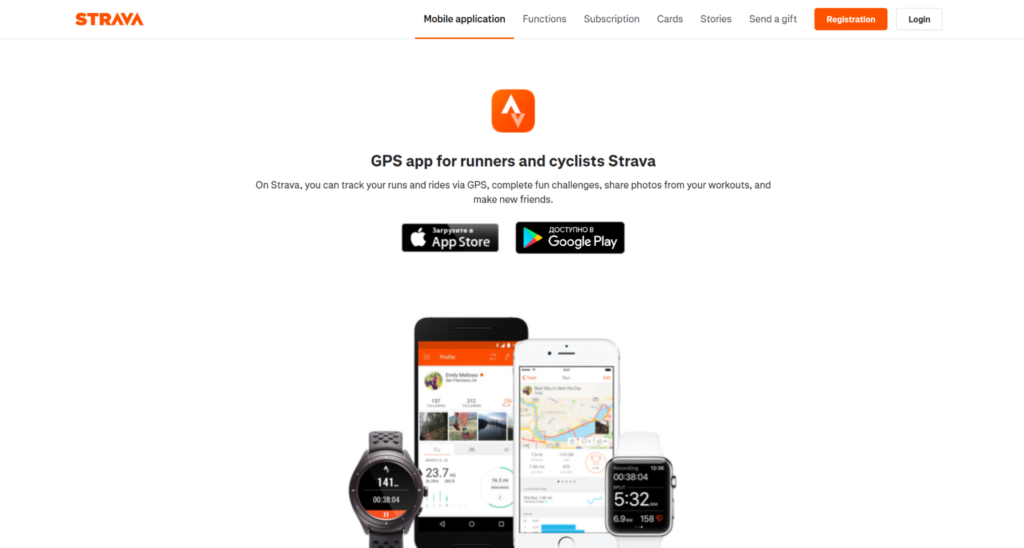
What it is: Strava is a widely used iPhone workout app for tracking running, cycling, and other outdoor activities. It combines GPS route mapping, performance segments, and social features.
Key features: Strava tracks over eight workout types including running and cycling, with segment leaderboards and route creation. Strava exports workout data to Apple Health for tracking. Fitness apps often include community features to motivate users through social interaction, and Strava’s social feed and clubs are central to its appeal, helping users record and share daily activity.
Apple ecosystem integration: Full Apple Health sync and Apple Watch support for real-time metrics including running distance and active energy.
Subscription model: Free tier for basic tracking. Paid subscription adds route planning, training logs, and advanced metrics.
Strengths:
- Strong community features and social motivation
- Accurate GPS tracking with segment-level data
- Effective for tracking time spent on outdoor exercise
Considerations:
- Premium features require subscription
- Less useful for indoor or strength-focused training
The bottom line: The go-to app for runners and cyclists who value data and community.
5. Calm – Best for Sleep and Meditation
What it is: Calm is a leading iOS meditation app featuring guided meditations, Sleep Stories, breathing exercises, and ambient music. It is one of the most-downloaded mental health apps on the iPhone.
Key features: Programs address stress, sleep, focus, and anxiety. Sleep Stories – narrated bedtime tales – are a signature feature. Calm also offers content for improving sleep quality and daily mindfulness, including sessions that contribute to mindful minutes in Apple Health.
Apple ecosystem integration: Apple Health sync and Apple Watch app for guided breathing and meditation tracking.
Subscription model: Limited free content. Annual subscription unlocks the full library.
Strengths:
- Broad library addressing multiple wellness factors
- Helpful for users new to meditation
- Regularly updated content with well-known narrators
Considerations:
- Most content locked behind subscription
- Not a substitute for clinical treatment of persistent mental health symptoms
The bottom line: A polished, accessible mental wellness app with standout sleep content.
6. Headspace – Best for Guided Meditation Programs
What it is: Headspace is a structured meditation and mindfulness app founded by Andy Puddicombe, offering science-backed programs for stress, sleep, focus, and movement. Research on Headspace has been published in peer-reviewed journals, including studies in JAMA Internal Medicine and Mindfulness.
Key features: Multi-week courses build meditation skills progressively. Headspace also offers short sessions for physical health benefits, including focus and stress reduction. Programs are organized by category and skill level.
Apple ecosystem integration: Apple Health sync and Apple Watch app for session tracking.
Subscription model: Limited free tier. Full access requires subscription.
Strengths:
- Evidence-informed programs with published research
- Progressive skill-building structure
- Clean interface suited to beginners
Considerations:
- Subscription required for most programs
- Narrower content library compared to Calm
The bottom line: The most research-supported meditation app on iPhone.
7. Sleep Cycle – Best for Sleep Tracking and Smart Alarms
What it is: Sleep Cycle is an iPhone sleep tracking app that uses sound analysis or motion to monitor sleep stages and wake the user during a light-sleep phase within a chosen window. Sleep tracking apps analyze sleep quality and provide insights for improvement.
Key features: The app provides sleep quality trends over time, tracking sleep cycle patterns and consistency. Sleep Cycle syncs sleep analysis data to Apple Health. The Oura Ring app specializes in tracking sleep stages and readiness metrics as a complementary device in this category, though Sleep Cycle works without additional hardware.
Apple ecosystem integration: Apple Health sync for sleep data. Apple Watch support for motion-based tracking.
Subscription model: Free tier with basic tracking. Premium adds detailed statistics, sleep aid tools, and weather-wake integration.
Strengths:
- Smart alarm reduces grogginess by timing wake-up to light sleep
- Long-term trend data for sleep quality analysis
- Works with or without an Apple Watch
Considerations:
- Sound-based tracking accuracy varies by environment
- Persistent sleep problems may require evaluation by a doctor rather than app-based tracking alone
The bottom line: A practical sleep tracking app that improves wake-up timing and long-term awareness.
8. Nike Training Club – Best Free Workout App
What it is: Nike Training Club is Nike’s free training app, offering hundreds of bodyweight and equipment-based workouts across strength, cardio, yoga, and mobility, with structured multi-week programs.
Key features: Workouts range from 5 to 60 minutes, covering multiple workout types. Programs target specific fitness goals such as endurance, strength, or flexibility. Video demonstrations accompany each exercise. Users can add favorite apps and programs to their home screen for quick access.
Apple ecosystem integration: Full Apple Health and Apple Watch support for workout logging, calories burned, and heart rate.
Subscription model: Free. All workouts and programs available at no cost.
Strengths:
- Entirely free with no subscription wall
- Professional-quality instruction across categories
- Approximately 269,700 iOS ratings with a 4.8 out of 5 average
Considerations:
- Less AI-driven personalization than paid alternatives
- No integrated nutrition tracking or meal planning
The bottom line: The strongest free iPhone fitness app available in 2026.
9. Fitbod – Best for AI-Driven Strength Training
What it is: Fitbod is an AI-powered strength training app that generates personalized workouts based on recovery status, available equipment, and training history. Fitbod creates custom workouts without requiring gym access.
Key features: The app adjusts sets, reps, and weight recommendations based on logged data and muscle recovery. Strong logs weightlifting sessions as “Functional Strength Training” workouts as an alternative in this space, and Hevy tracks strength training progress and routines effectively for those seeking simpler logging – but Fitbod stands out for its adaptive algorithm.
Apple ecosystem integration: Apple Health and Apple Watch integration for exercise and body metrics.
Subscription model: Limited free workouts. Full access requires subscription.
Strengths:
- Adapts each session to recovery and training history
- Equipment-flexible: works for home gym or commercial gym
- Clean logging interface for tracking progress
Considerations:
- Subscription required for full functionality
- Less suited to users focused on cardio or flexibility
The bottom line: The most intelligent strength training app on iPhone for progressive overload.
10. Peloton App – Best for Variety in Cardio and Strength
What it is: Peloton’s app offers thousands of live and on-demand classes across cycling, running, strength, yoga, and meditation. Available on iPhone without requiring Peloton hardware.
Key features: Classes range from 5 to 90 minutes, with leaderboards and structured programs. Instructors provide coaching cues in real time. The app covers a broad range of workout types and includes rest day stretching and meditation. Users can log food alongside workouts for a more complete wellness view.
Apple ecosystem integration: Apple Health and Apple Watch sync for workout data and metrics.
Subscription model: Tiered subscription. App-only membership available at a lower price than equipment-linked plans.
Strengths:
- Massive class library across multiple fitness categories
- Live classes create accountability and engagement
- No hardware required for app-only membership
Considerations:
- Monthly subscription cost is higher than several alternatives
- Best experience requires stable internet connection
The bottom line: The broadest class library for users who want instructor-led variety.
11. Lose It! – Best for Weight Management
What it is: Lose It! is a weight loss and nutrition app with calorie tracking, food databases, and personalized weight-loss plans. Lose It! has been tracking food intake since 2008, making it one of the longest-running apps in this category.
Key features: Barcode scanning, meal logging, and weight tracking. The app creates calorie budgets based on user goals. WaterMinder tracks daily water intake and hydration levels as a complementary app for those who want dedicated hydration tracking alongside Lose It!. The Zero app tracks fasting hours and weight changes for users following intermittent fasting protocols.
Apple ecosystem integration: Apple Health integration for weight, nutrition, and exercise data. Apple Watch support for reminders and quick logging.
Subscription model: Free tier with core tracking. Premium adds meal planning, macronutrient goals, and advanced insights.
Strengths:
- Simple interface focused on weight management
- Long track record and established iOS presence
- Free tier covers essential calorie tracking
Considerations:
- Food database smaller than MyFitnessPal
- Significant unintentional weight changes should prompt a visit to a doctor, not reliance on an app alone
The bottom line: A focused, accessible weight management app with a proven track record.
12. AutoSleep – Best for Passive Sleep Tracking with Apple Watch
What it is: AutoSleep is an Apple Watch-paired sleep tracker that automatically detects sleep without requiring user input. It tracks sleep quality, heart rate trends, and consistency over time.
Key features: The app captures sleep stages, deep sleep duration, and blood pressure proxy data through heart rate analysis. It provides a daily readiness score and long-term trend charts. No manual input is needed – the watch handles detection passively via devices already on the wrist.
Apple ecosystem integration: Requires Apple Watch. Full Apple Health sync for sleep data.
Subscription model: One-time purchase. No subscription required.
Strengths:
- Fully passive – no buttons to press at bedtime
- One-time cost with no recurring fees
- Detailed heart rate and sleep stage analysis
Considerations:
- Requires Apple Watch – no standalone iPhone functionality
- Accuracy of wearable sensor-derived data can vary with skin tone and watch placement
The bottom line: The best passive sleep tracker for Apple Watch owners who want zero-effort data.
How to Choose the Right Health & Fitness Apps for You
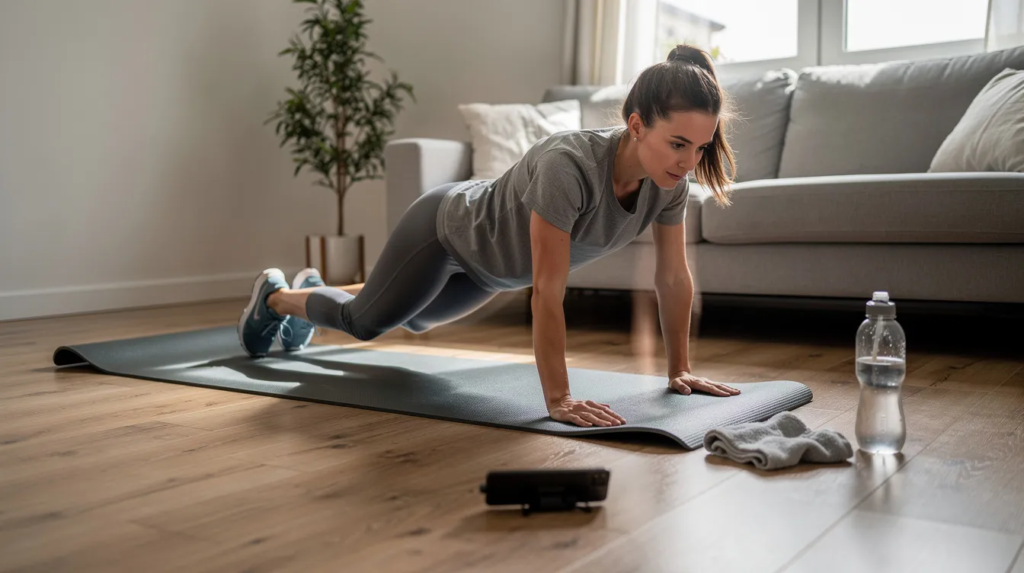
Start with your primary goal. If weight loss is the focus, a nutrition app like MyFitnessPal or Lose It! paired with a structured workout app delivers more than either alone. For sleep, a dedicated sleep tracking app like Sleep Cycle or AutoSleep provides insights that general fitness trackers do not. The Health app uses your iPhone’s accelerometer to count steps and log daily activity without any additional app, so consider what you already have before adding more.
Most users do best with two to three apps, not twelve. A fitness app, a nutrition tracker, and a sleep or meditation app cover the main pillars. Adding more often leads to data overload and declining engagement. Cycle tracking, blood pressure logging, and medications management are available through Apple Health directly or through specialized apps as needed.
Consider your existing Apple ecosystem. If you wear an Apple Watch, apps with native watch support – like Apple Fitness+, AutoSleep, and Strava – deliver richer data and a more seamless experience. Apple Health can sync data from Fitbit via third-party apps, expanding compatibility even for users with non-Apple fitness trackers.
Review each app’s privacy page before granting access to your phone and health data.
- Identify your primary wellness goal before downloading
- Limit yourself to two or three complementary apps
- Prioritize apps with strong Apple Health and Apple Watch integration
- Check privacy labels and data-sharing policies on the App Store page
When to Consult a Healthcare Provider Instead
Health apps are designed to support healthy habits – they are not diagnostic tools and cannot replace clinical care. There are clear situations where a healthcare provider should be the first resource, not an app.
Individuals with chronic conditions such as diabetes, heart disease, or hypertension should work with their medical team before adjusting exercise intensity or nutrition intake based on app recommendations. Recent injuries or surgeries may require rehabilitation protocols that general fitness apps are not equipped to provide. Significant unintentional weight changes – either gain or loss – warrant a clinical evaluation rather than a calorie-tracking adjustment.
Persistent sleep problems that do not improve with better habits may indicate conditions like sleep apnea that require medical diagnosis. Persistent mental health symptoms – anxiety, depression, or prolonged stress – deserve professional evaluation. Apps like Calm and Headspace can support daily practice, but they do not replace therapy or clinical intervention.
When in doubt, use app data as a conversation starter with your doctor. Trends in sleep quality, active energy expenditure, weight, and exercise frequency can be helpful contexts for clinical discussions.
Apple Health and Privacy: What to Know
Apple Health is the central health-data hub on iPhone, aggregating data from compatible apps, the iPhone’s sensors, and the Apple Watch. Apple Health integrates with over 70 health data types, from steps and running distance to cycle tracking and nutrition. Health data is encrypted on your device, and health data synced to iCloud is encrypted in transit and at rest.
Users control which apps can read or write to Apple Health through granular permission settings. Users can request deletion of their health data at any time. Under CCPA, users have the right to know what data is collected by the apps they use.
When granting third party apps access to health data, review the privacy labels on each app’s App Store page. A 2024 security analysis of top-ranked mHealth fitness apps found variable practices in data transmission and permissions management, though most comply with Apple’s baseline privacy policies. Apps that process data on-device and minimize sharing with external analytics services offer stronger privacy protection.
Free Versus Paid Health Apps: What You Actually Get
Free apps cover basic tracking; paid subscriptions add personalization, coaching, and structured progression.
Paid tiers reliably deliver adaptive workout programs, progressive training plans, detailed nutrition analysis, and access to broader content libraries. For example, subscription-based apps like MadMuscles and Fitbod adjust workout difficulty week over week, while free tiers typically offer static content. Premium meditation apps unlock multi-week courses rather than single sessions.
Free apps work well for users with established habits who need a simple tool to log and record data. Nike Training Club offers a complete free workout library. The free tiers of MyFitnessPal and Lose It! cover core calorie tracking. Users who already know their fitness goals and routines may find free tools sufficient.
What Research Says About Health and Fitness Apps
A 2024 systematic review and meta-analysis published in JMIR mHealth and uHealth examined 28 randomized controlled trials involving 5,643 children and adolescents. The study found that mHealth app interventions significantly increased total physical activity, with a standardized mean difference of 0.29 (95 percent CI, 0.13 to 0.45). Improvements in BMI and muscle strength were also observed.
A separate longitudinal study published in JMIR mHealth and uHealth in 2024 followed Japanese-speaking adults over six months and found that apps offering broader content and more behavior change techniques produced better outcomes in physical activity and user satisfaction. This finding supports the value of structured, evidence-based programs over generic tracking.
A validation study comparing MyFitnessPal data with professional dietitian-logged recalls, published in BMJ Nutrition, Prevention and Health, found that the app underestimates protein by approximately 7.8 percent and carbohydrates by approximately 6.4 percent. Energy intake was overestimated by approximately 1.3 percent. These findings highlight that while nutrition apps are helpful, their data should be understood as estimates, not clinical-grade measurements.
Frequently Asked Questions
What is the best iPhone health and fitness app in 2026?
There is no single best app choice for all users. MadMuscles is the a good choice for AI-personalized workout plans. Apple Fitness+ is strongest for users embedded in the Apple ecosystem. MyFitnessPal leads in nutrition tracking. The best choice depends on your primary wellness goal and whether you prioritize exercise, nutrition, or sleep.
What are some popular free iPhone fitness apps?
Nike Training Club is one of the most widely used free iPhone fitness apps in 2026. It offers hundreds of workouts across strength, cardio, yoga, and mobility at no cost, with full Apple Health and Apple Watch support. Its approximately 269,700 iOS ratings and 4.8 out of 5 star average reflect consistent user satisfaction.
Which iPhone app is best for weight loss?
Lose It! and MyFitnessPal are the strongest options for weight loss tracking. Both support calorie tracking and Apple Health sync. Pairing either with a structured workout app – such as MadMuscles or Nike Training Club – provides a combined approach to manage food intake and increase exercise.
Are iPhone health apps accurate?
Accuracy varies by data type and app. Nutrition apps rely on user input and crowd-sourced databases, which can contain inconsistencies. Wearable sensor data for heart rate and sleep can vary with skin tone, device placement, and movement. Treat app data as useful estimates, not clinical-grade measurements.
Do I need an Apple Watch to use health apps effectively?
No. Most fitness and nutrition apps function fully on the iPhone alone. However, an Apple Watch adds real-time heart rate monitoring, passive sleep tracking, and automatic workout detection. Apps like AutoSleep and Apple Fitness+ require an Apple Watch. Not everyone needs one, but it expands what apps can measure.
Which iPhone app is best for sleep tracking?
Sleep Cycle is a popular sleep tracking app for iPhone users without an Apple Watch. AutoSleep is a popular choice for Apple Watch owners who want passive, no-input tracking. Both apps sync data to Apple Health and provide long-term trend analysis of sleep quality and sleep stages.
Can iPhone fitness apps replace a personal trainer or doctor?
No. iPhone fitness apps can create structured programs and help users track progress, but they cannot assess injuries, diagnose conditions, or provide the personalized feedback a qualified trainer or medical professional offers. Use apps as tools to support your routine, and consult a healthcare provider for any medical concerns.
How many health apps should I use at once?
Two to three apps is the practical limit for most users. A fitness app, a nutrition tracker, and a sleep or meditation app cover the main wellness pillars without creating data overload. Review your apps each week to ensure you are actually using them, and remove ones that add complexity without value.
The Bottom Line
MadMuscles leads this list for AI-personalized fitness planning with its quiz-driven approach and broad program variety. Nike Training Club is the clear best free pick. MyFitnessPal remains the standard for nutrition tracking. For sleep, Sleep Cycle and AutoSleep cover both standalone iPhone and Apple Watch workflows. Calm and Headspace provide the strongest options for mental wellness support.
These twelve apps represent the leading iPhone health and fitness tools across exercise, nutrition, sleep, and mental wellness in 2026. Each earns its place through structured guidance, Apple Health integration, and a clear purpose. But the principle remains: apps support healthy habits. Professional guidance from a healthcare provider remains essential for managing health conditions, interpreting concerning trends, and making significant lifestyle changes.
Other Articles You May Find of Interest...
- AI in Healthcare: Pros and Cons Patients Should Know
- Peptide Dosage Calculators: What Clinicians and Researchers Should Know
- How to Build a Remote Patient Monitoring Program That Supports Better Care
- How to Build HIPAA-Compliant Healthcare AI Solutions (Process, Cost, Vendors)
- How AI Video Is Transforming Patient Education and Healthcare Communication in 2026
- What Your Blood Pressure Actually Looks Like Between Appointments
- Dry Herb Vaporizers in Australia: Health, Safety, Technology, and Regulation