Your Health Magazine Contributor
4201 Northview Drive
Suite 102
Bowie, MD 20716
More Practice Management Articles
Paperless Employee Onboarding: A Practical Guide for Healthcare Practices
Hiring a new employee in a healthcare practice can generate a substantial amount of administrative paperwork. Employment documents, workplace policies, acknowledgments, confidentiality-related paperwork, and other records may need to move between a new hire, a manager, and administrative staff. When those processes depend on printing and scanning, even a relatively straightforward onboarding process can become fragmented.
Moving onboarding documents into an electronic workflow can eliminate some of those manual steps. An office transitioning older forms may also need to determine how to convert signature to esignature use when appropriate instead of relying on scanned copies of paper documents. The larger goal, however, is not simply putting signatures onto a screen. An effective paperless onboarding process considers how documents are prepared, sent for signature, completed, protected, reviewed, and retained.
Why Paper Onboarding Becomes an Administrative Burden
Paper-based onboarding often requires more steps than administrators realize because those steps have become routine. A document may be printed, handed or mailed to an employee, signed, returned, scanned, renamed, and finally stored. If a signature or required information is missing, part of that process starts again.
The problem becomes more noticeable when a healthcare organization hires multiple employees or operates from multiple locations.
Electronic document workflows can consolidate portions of this process. Instead of managing both a physical document and its eventual electronic copy, HR or practice-management personnel can prepare an electronic version from the beginning.
The objective should not necessarily be eliminating every piece of paper. Instead, practices can identify repetitive administrative processes in which printing, scanning, routing, and manual follow-up add work without adding meaningful value.
Map the Onboarding Process Before Digitizing It
A common mistake in digital transformation is reproducing an inefficient paper process on a computer. Before changing technologies, a healthcare practice should determine how its onboarding documents actually move through the organization.
Start with the people involved. Which employee prepares the documents? Which forms require information from the new hire? Who is authorized to sign on behalf of the organization? Does a manager need to review anything before the process is considered complete? Where does the final record belong?
Next, identify unnecessary handoffs. If a form is printed simply so someone can sign it and immediately scan it again, that step may be a strong candidate for an electronic signature.
Mapping the process first allows technology to simplify the workflow rather than merely creating a digital version of existing administrative inefficiencies.
Not Every Signature Method Is the Same
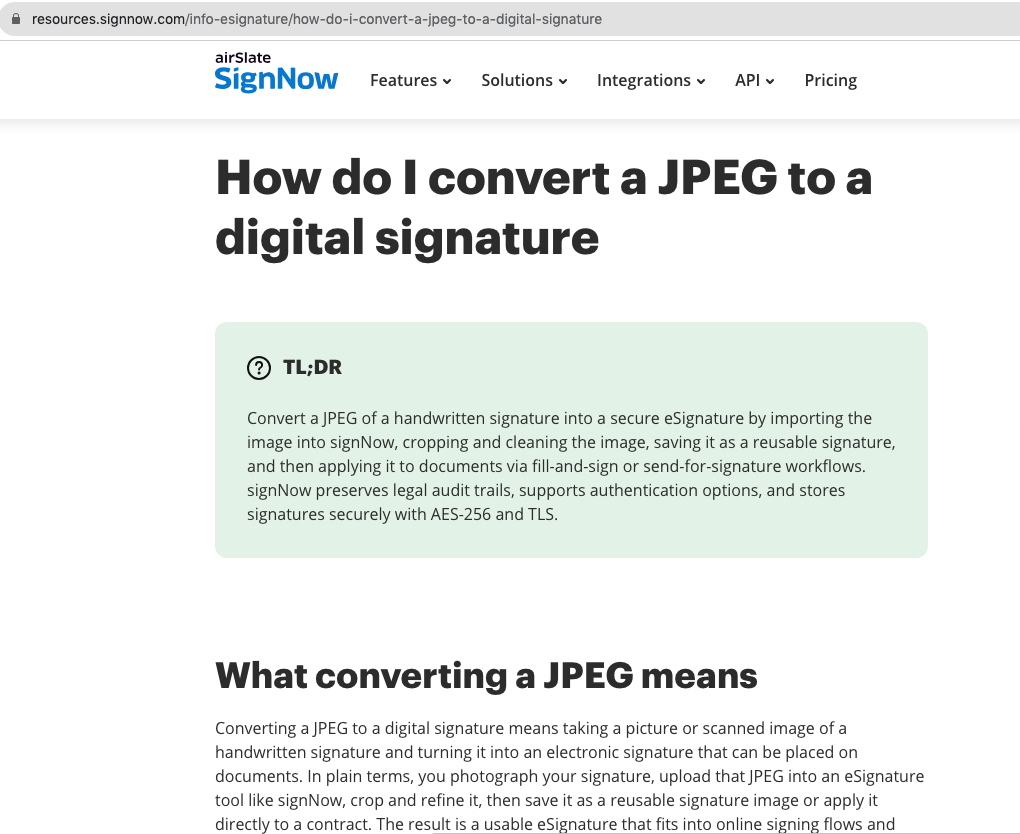
Healthcare administrators may encounter several approaches to signatures while converting older paperwork. An organization might possess scanned copies of handwritten signatures, signature images saved as JPEG files, or forms that have historically been printed for handwritten execution.
These should not automatically be treated as equivalent to a structured electronic signing process.
An eSignature is an electronic method used to indicate a person’s intent to sign. A signature image, meanwhile, is a visual representation. Depending on the process, an electronic document system can also provide security controls and records associated with document activity.
This distinction matters most when the document carries significant employment, financial, contractual, or legal consequences.
Practices should determine what level of process is appropriate for each type of onboarding document rather than adopting one signature method indiscriminately.
Build Security Into Electronic Onboarding
Moving documents online changes the security considerations surrounding them. A file is no longer sitting only in a folder or filing cabinet; it may be transmitted electronically, accessed through an account, and stored digitally.
Healthcare organizations should therefore evaluate security across the entire document lifecycle.
According to information provided by signNow, the platform protects data in transit using TLS 1.2/1.3 and data at rest using AES-256. It also provides two-factor authentication and audit trails.
Those controls address different risks. Encryption protects information while it is transmitted or stored. Two-factor authentication provides an additional layer of account security. Audit trails provide information associated with activity involving electronic documents.
Technology is only one part of security. Organizations also need appropriate internal access controls, account-management practices, employee procedures, and staff training.
Know When HIPAA Becomes Relevant
Healthcare organizations operate in an environment where HIPAA is an obvious concern, but not every document handled by a medical practice automatically involves protected health information.
Administrators should evaluate what information is being collected and processed through a particular workflow. If protected health information is involved, additional HIPAA considerations apply.
For HIPAA use, signNow requires a Business Associate Agreement (BAA). Its listed compliance frameworks also include ESIGN, UETA, SOC 2 Type II, GDPR, 21 CFR Part 11, PCI DSS, ISO 27001, CCPA, and eIDAS.
A list of supported compliance frameworks does not eliminate an organization’s own responsibilities. Healthcare employers still need to determine which legal and regulatory requirements apply to their documents and how their particular use of electronic systems affects those obligations.
Understand the Legal Context of eSignatures
Electronic signatures have an established legal framework in the United States. The Electronic Signatures in Global and National Commerce Act, generally known as the ESIGN Act, provides a federal foundation for electronic signatures and records. UETA, the Uniform Electronic Transactions Act, provides another important framework at the state level.
For practice managers and HR personnel, the important point is that moving from paper to electronic signatures does not mean abandoning formal document processes.
The organization still needs to determine which documents require signatures, who is authorized to execute them, and how completed records should be maintained.
Certain employment or healthcare-related records may also be subject to requirements beyond general electronic-signature laws. Organizations should obtain appropriate professional guidance when determining whether a particular document or process has specialized execution or retention requirements.
Make Completion Easy for New Employees
A digital workflow should simplify onboarding for the new employee as well as the administrative staff. Replacing a stack of paper with a confusing electronic process simply moves the frustration to a different format.
Instructions should make clear which documents need to be reviewed, which require information, and where an employee needs to fill and sign. Internal administrators should also know how to determine whether all necessary documents have been completed.
Completion rates can be useful when evaluating an electronic-document process. signNow reports an 80% document completion rate across its platform.
Actual results for an individual healthcare employer will depend on its documents and processes. Clear instructions, appropriately prepared forms, and a logical workflow remain important regardless of the technology being used.
Consider the Administrative Cost of Manual Processes
The cost of onboarding is not limited to paper and printer supplies. Administrative time is also consumed when employees print documents, follow up on missing signatures, scan completed forms, rename files, and manually route records.
Electronic document workflows may reduce some of those tasks.
signNow reports that customers save up to six hours per week per employee and achieve an average 700% return on investment during the first year. These figures are company-reported outcomes and are not guarantees of results for a particular medical practice.
For healthcare administrators, a more useful analysis begins with their own workflow. How much employee time is being spent on repetitive document handling? Which tasks could reasonably be eliminated? Which still require human review?
Those questions help determine whether changing the workflow offers meaningful operational value.
Apply the Same Principles Beyond Employee Onboarding
Once a healthcare organization develops an effective electronic-document process for HR, similar principles can be considered elsewhere in the administrative operation.
Practice managers may handle agreements with vendors or contractors. Finance personnel may need signed authorizations or business documents. Legal and compliance departments may manage records requiring formal execution and reliable retention.
Electronic signing workflows are also used outside healthcare in fields such as real estate, finance, and legal services, where documents routinely move between multiple parties.
signNow reports 28 million users and use by 352 Fortune 500 companies, including Apple, Walmart, FedEx, Tesla, and Xerox.
The appropriate workflow will vary according to the organization and document. The underlying principles—clear responsibility, appropriate security, reliable completion, and organized recordkeeping—remain broadly applicable.
Create a Consistent Electronic Records Policy
Going paperless works best when employees understand the process. If every manager handles documents differently, an organization can end up with electronic records scattered across multiple locations and no consistent way to determine which version is final.
Healthcare practices should establish rules covering who may prepare onboarding documents, who can send for signature, who is authorized to eSign on behalf of the organization, and where completed records are maintained.
Access should also be considered. Employees should have access to the systems and documents necessary for their roles without automatically receiving access to unrelated information.
A consistent policy makes the technology easier to manage and reduces dependence on individual habits. When responsibilities are clearly assigned, electronic onboarding can become a repeatable administrative process rather than a collection of disconnected digital tasks.
Frequently Asked Questions
What is paperless employee onboarding?
Paperless onboarding replaces appropriate printed hiring and employment documents with electronic processes. New employees can receive documents electronically, provide required information, fill and sign applicable forms, and return them without printing and scanning each page. Organizations still need appropriate procedures for reviewing, protecting, and retaining completed records.
Is a scanned signature the same as an eSignature?
Not necessarily. A scanned signature or JPEG is a visual representation of a handwritten signature. An eSignature is an electronic method used to indicate a person’s intent to sign. Electronic signing workflows can also incorporate additional security measures and records associated with document activity.
Are electronic signatures legal for employment documents?
Electronic signatures operate within U.S. legal frameworks including the federal ESIGN Act and UETA. However, employers should determine whether particular employment documents are subject to additional requirements governing how they must be executed, provided, or retained. Specialized questions may require appropriate legal or compliance guidance.
Does HIPAA apply to employee onboarding documents?
HIPAA does not automatically apply to every document simply because the employer is a healthcare organization. The information and circumstances matter. If protected health information is processed through an electronic workflow, the organization must consider applicable HIPAA requirements. signNow requires a Business Associate Agreement for HIPAA use.
What security features should healthcare employers consider for eSignatures?
Organizations should evaluate protection for information during transmission and storage, account security, access management, and records of document activity. signNow lists TLS 1.2/1.3 for data in transit, AES-256 for data at rest, two-factor authentication, and audit trails among its security measures.
Where should a medical practice start when moving onboarding online?
Begin by mapping the existing process. Identify which documents are printed, who prepares them, who needs to fill and sign them, who reviews them, and where completed records are retained. This can reveal unnecessary printing, scanning, routing, and follow-up that may be suitable for an electronic workflow.
Other Articles You May Find of Interest...
- Wholesale Injectables Supplier in New York: A Med Spa’s Guide to Compliant Sourcing
- How Much Admin Work Can a Practice Realistically Outsource?
- What a Medical or Dental Practice Should Automate First
- Choosing a Security Camera System for Healthcare Practices and Facilities
- How to Choose Microblading Insurance for an Independent Artist or Growing Salon
- Smart Coding Strategies for Today’s Healthcare Practices
- How Consultants Can Organise Their Appointments Effectively