Your Health Magazine Contributor
4201 Northview Drive
Suite 102
Bowie, MD 20716
More Healthcare Administration Articles
From Scanned Signatures to eSignatures: Modernizing Healthcare Administrative Documents
Healthcare offices may be highly advanced in patient care while still relying on surprisingly old-fashioned administrative processes. Employment forms, vendor agreements, financial documents, internal approvals, and other paperwork may move between printing, handwriting, scanning, emailing, and manual filing. Each additional step can make a relatively simple document more cumbersome to complete and manage.
One common example is a handwritten signature that exists only as an image file. Understanding how to convert signature picture to digital format can be useful when transitioning from scanned paperwork toward electronic document workflows. However, inserting a picture of a signature and establishing an electronic signing process are not necessarily the same thing. Healthcare administrators should understand the distinction when deciding how documents should be prepared, signed, transmitted, and retained.
Why Signature Images Still Appear in Healthcare Offices
Signature images often originate with paper. Someone signs a document, scans the page, crops the signature, and eventually ends up with a JPEG or similar image file. In other cases, a signature image may have been created specifically for routine electronic documents.
This approach can seem convenient because it resembles the familiar handwritten signature. The larger issue, however, is the workflow surrounding that image.
Healthcare organizations frequently handle documents that need more than a visual indication of someone’s name. Administrators may need to know who completed a document, when it was handled, where the completed version is stored, and whether there is information documenting the signing process.
That is why modernization should focus on the complete electronic-document workflow rather than simply reproducing the appearance of ink on paper.
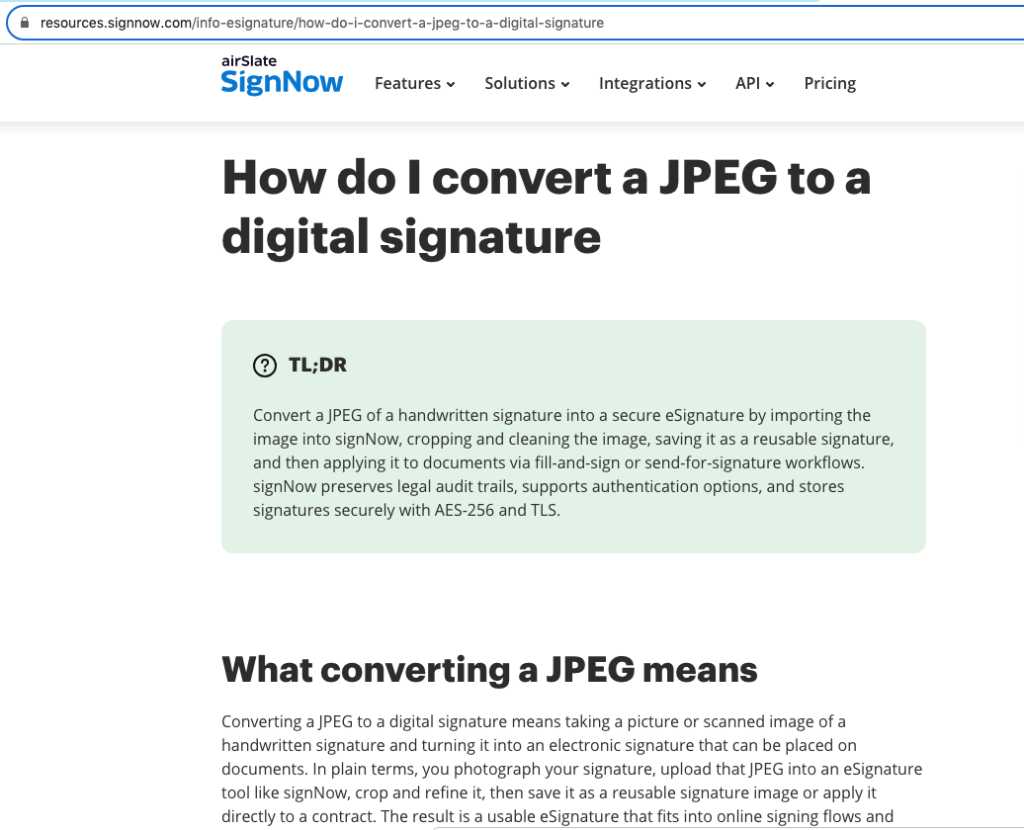
A Signature Picture and an eSignature Are Different Concepts
A picture of a handwritten signature is essentially visual content. It can reproduce the appearance of someone’s signature, but the image itself should not be confused with all of the information and controls that may surround an electronic signing transaction.
An eSignature is used electronically to indicate a person’s intent to sign. A digital document workflow can additionally incorporate authentication, security measures, records of activity, and processes for maintaining completed documents.
This distinction becomes particularly important when a healthcare office is deciding whether a document simply needs a signature displayed on it or requires a more structured process.
For routine administrative documents, organizations should consider the significance of the transaction rather than focusing solely on appearance. The more consequential the document, the more important the surrounding controls may become.
Where Electronic Signatures Fit Into Healthcare Administration
Healthcare administration involves far more documentation than patient charts. Human resources departments handle employment paperwork and workplace forms. Finance departments process agreements and authorizations. Practice administrators work with vendors and contractors. Legal and compliance personnel may manage documents that require formal approval or execution.
An electronic workflow can allow an authorized person to prepare a document, send for signature, have the appropriate party fill and sign it, and maintain the completed record electronically.
Consider employee onboarding. Instead of printing several documents, obtaining handwritten signatures, scanning the pages, and transferring the files to the appropriate location, an organization can structure the process electronically.
Similar principles can apply to appropriate vendor agreements, administrative approvals, financial paperwork, and other business records. The specific process should always reflect the sensitivity and legal significance of the document involved.
Security Should Be Part of the Workflow
Convenience is valuable, but healthcare organizations cannot evaluate electronic document systems solely by how quickly someone can place a signature on a page.
Security should extend throughout the document lifecycle. Information needs appropriate protection when it is transmitted and when it is stored. Organizations also need controls over account access and ways to review relevant document activity.
According to information provided by signNow, the platform uses TLS 1.2/1.3 for data in transit and AES-256 for data at rest. It also provides two-factor authentication and audit trails.
These safeguards address different aspects of electronic document security. Encryption protects information in different states, two-factor authentication strengthens account access, and audit trails provide information associated with document activity.
Healthcare organizations still need their own appropriate policies governing user access, passwords, records, employee responsibilities, and sensitive information.
HIPAA Requires More Than Choosing an eSignature Platform
Healthcare organizations should be especially careful about assuming that a particular technology automatically makes a workflow HIPAA compliant.
HIPAA considerations depend on how protected health information is collected, transmitted, accessed, disclosed, and maintained. When a service provider will handle protected health information on behalf of a covered entity or business associate, contractual requirements may also apply.
For signNow, HIPAA use requires a Business Associate Agreement (BAA). The platform’s listed compliance frameworks also include ESIGN, UETA, SOC 2 Type II, GDPR, 21 CFR Part 11, PCI DSS, ISO 27001, CCPA, and eIDAS.
Not every framework will apply to every medical practice or every document. Administrators should determine which requirements apply to their particular organization and workflow rather than treating a list of compliance standards as a substitute for a compliance assessment.
Electronic Signatures Have an Established U.S. Legal Framework
Electronic signatures are not simply a technological substitute for handwriting. They operate within a legal framework that has developed to accommodate electronic transactions.
At the federal level, the Electronic Signatures in Global and National Commerce Act, commonly called the ESIGN Act, provides an important foundation for electronic signatures and records in interstate and foreign commerce. UETA, the Uniform Electronic Transactions Act, provides another important framework at the state level.
For healthcare administrators, the practical lesson is that the method used to eSign a document should be considered in relation to the type of document and transaction.
Some records may also be subject to specialized requirements beyond general electronic-signature laws. Legal counsel or an organization’s compliance professionals can help determine whether a proposed electronic process is appropriate for a particular category of healthcare documentation.
How Digital Workflows Can Reduce Administrative Friction
Paper creates physical steps. Someone must print the document, deliver it, obtain the signature, retrieve it, scan it, name the resulting file, and place it in the appropriate system or folder. Missing any one of those steps can create additional administrative work.
Electronic workflows can consolidate portions of that process, although the amount of time saved will vary by organization and job function.
signNow reports that its customers save up to six hours per week per employee and achieve an average 700% return on investment during the first year. The company also reports an 80% document completion rate. These are signNow-reported outcomes and should not be interpreted as guaranteed results for a particular healthcare organization.
The more useful question for administrators is where their own document bottlenecks occur and whether an electronic process can eliminate unnecessary manual steps.
Electronic Documents Beyond Healthcare
The same document-management principles are relevant in industries where signed records carry significant business or legal consequences.
A real estate professional may need signatures associated with transaction documents. An HR department may send for signature employment and onboarding forms. Financial organizations manage documents involving authorizations and agreements, while legal professionals routinely work with records whose execution and integrity can be important.
These use cases illustrate why electronic signing should be viewed as a workflow rather than simply a way to put a signature onto a screen.
signNow reports serving 28 million users and 352 Fortune 500 companies, with clients including Apple, Walmart, FedEx, Tesla, and Xerox. Organizations evaluating any eSignature system should nevertheless base their decision on their own security, compliance, usability, and operational requirements.
Creating a Better Process for Healthcare Documents
A medical practice considering electronic signatures should begin by examining its existing process rather than immediately trying to digitize every piece of paper.
Administrators can identify documents that regularly require printing, scanning, repeated follow-up, or manual routing. They can then determine who creates each document, who is authorized to sign it, what information it contains, where it must ultimately be stored, and what regulatory requirements apply.
This exercise may reveal that different documents require different levels of control. A routine internal form does not necessarily carry the same risks as a document containing protected health information or creating significant contractual obligations.
Moving from signature pictures and scanned pages toward structured electronic workflows is therefore less about eliminating handwriting and more about developing a reliable way to manage documents from preparation through completion and retention.
Frequently Asked Questions
Can a picture of a handwritten signature be used electronically?
A handwritten signature can be captured as an image, such as a JPEG, for use in some electronic documents. However, a signature image should not automatically be considered equivalent to a complete eSignature or digital-signature process. The appropriate method depends on the document, transaction, security needs, and applicable legal requirements.
What is the difference between a signature image and an eSignature?
A signature image visually reproduces a handwritten signature. An eSignature is an electronic method used to indicate a person’s intent to sign. An electronic signing workflow may also include security measures, authentication, audit information, and other controls that go beyond simply displaying an image of a signature.
Are eSignatures legal for healthcare documents?
Electronic signatures can be legally recognized in the United States under frameworks including the ESIGN Act and UETA. Healthcare organizations must also consider requirements specific to the document and information involved. The fact that a signature is electronic does not eliminate other healthcare, privacy, contractual, or recordkeeping obligations.
Can an eSignature platform be used with protected health information?
Potentially, but healthcare organizations must evaluate the complete workflow for HIPAA compliance rather than assuming the use of an eSignature service is sufficient. When using signNow for workflows involving HIPAA requirements, a Business Associate Agreement is required. Appropriate technical, administrative, and contractual safeguards must also be considered.
What security features should a healthcare office consider for electronic documents?
Organizations should consider how information is protected during transmission and storage, how users access accounts, and what records exist concerning document activity. signNow lists TLS 1.2/1.3 encryption in transit, AES-256 encryption at rest, two-factor authentication, and audit trails among its security measures.
Should a medical practice convert all paperwork to electronic signatures?
Not necessarily. Practices should evaluate documents individually based on workflow, legal significance, privacy requirements, security considerations, and recordkeeping obligations. Starting with administrative processes that generate substantial printing, scanning, routing, or follow-up can help an organization identify where electronic documentation provides the clearest operational benefit.
Other Articles You May Find of Interest...
- Why Telehealth and Patient Portals Create Language Barriers for LEP Patients
- Customer Support Outsourcing Companies for Healthcare and Telehealth Providers
- Remote Health and Wellness Contractors: Agreements, Credentials And Payment
- Why Clinical Excellence Alone Isn’t Enough for Sustainable Healthcare
- Healthcare Analytics: How Data Shapes Better Care
- Why Contract Lyophilization Is Becoming the Backbone of Canadian Diagnostics Manufacturing
- Chinese HIFU Skin-Tightening Equipment: What Export Buyers Should Compare